Flowserve.com 15 PUIOM000650-00-UIM (EN/HL) August 2022
SEM-100 and SEM-100FT User Instructions
5. Maintenance
It is the nal operator’s responsibility to ensure that all maintenance
steps are carried out by authorized and qualied personnel who have
adequately familiarized themselves with the subject matter by studying this
manual in detail.
5.1 Battery removal and replacement
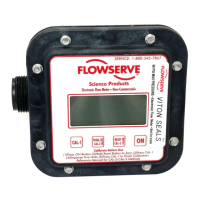
If the LCD display becomes dim, the battery should be replaced. The meter
electronics can be removed without exposure to uid inside the meter.
Open valve to relieve system pressure and do not pressurize the
system during this procedure.
5.1.1 Battery removal
To replace battery, remove the 8 screws (PH-13) that hold the electronic
assembly to the meter assembly. Remove the electronic assembly. Remove
and dispose of used batteries.
5.1.2 Battery replacement
Install the new AAA Batteries into the battery holder. Note the polarity
markings on the batteries. The positive end of one battery should face the
red wire and the negative end of the other battery should face the black
wire. Press the “ON” button to check power supply.
Inspect gasket (S10-12) for damage. If the gasket (S10-12) is damaged,
replace with new. (See section 6: Parts List and Parts Diagram)



 To Next Page