7341
Users Guide
9-8
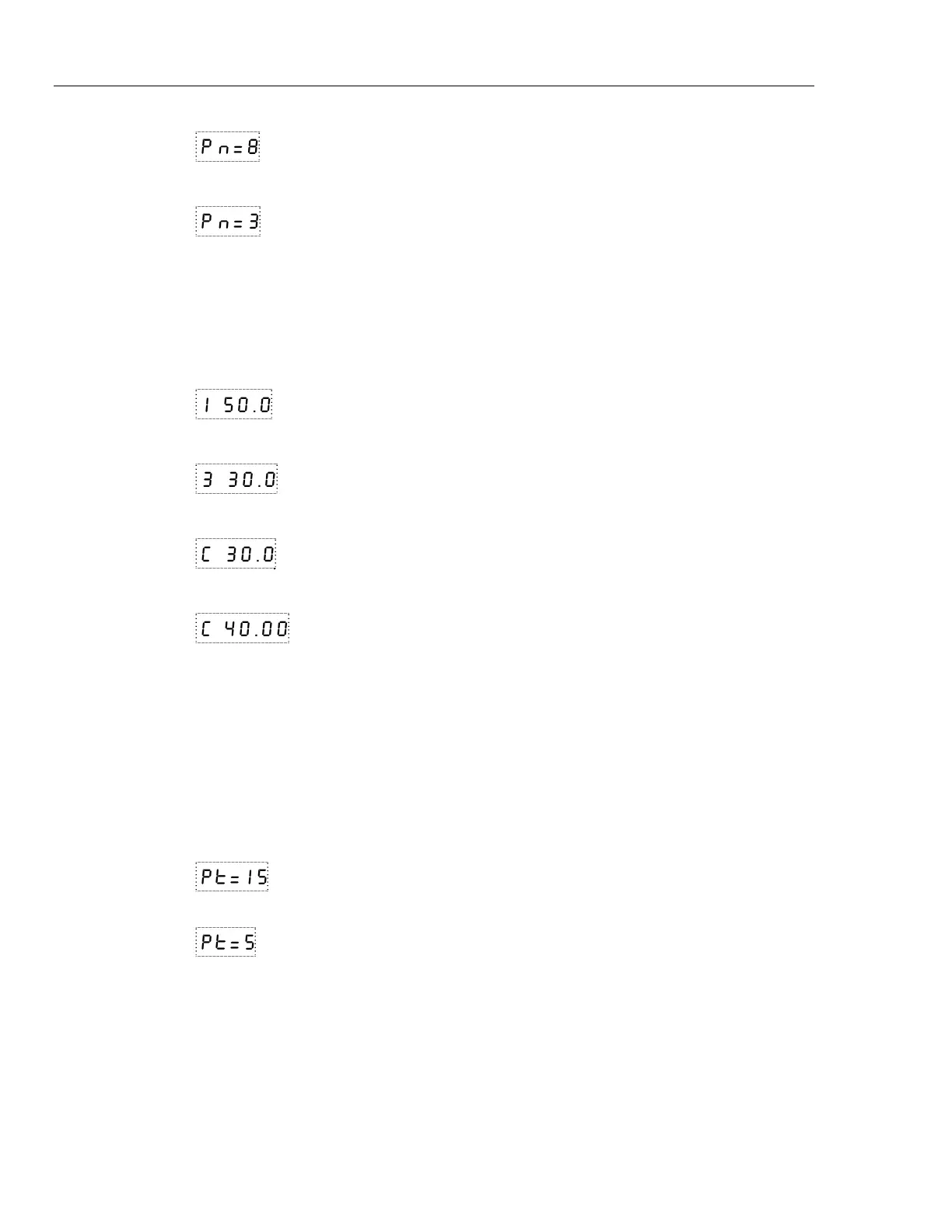
Pn=8 Number of program set-points
Use the “UP” or “DOWN” buttons to change the number from 2 to 8.
Pn=3 New number of program set-points
Press “SET” to continue. Press “EXIT” to ignore any changes and to continue.
S
Save new setting
Set-points
The next parameters are the program set-points.
1 50.0 First set-point
Use the “UP” or “DOWN” buttons to select any of the set-points.
3 30.0 Third set-point
Press “SET” to be able to change the set-point.
C 30.0 Set-point value
Use “UP” and “DOWN” to change the set-point value.
C 40.00 New set-point value
Press “SET” to save the new set-point value.
The other set-points can also be set in the same manner. Once the set-points are
programmed as desired press “EXIT” to continue.
E
Continue to next menu function
Program Soak Time
The next parameter in the program menu is the soak time. This is the time, in minutes,
that each program set-point is maintained after settling before proceeding to the next set-
point. The duration is counted from the time the temperature reaches the set-point.
Pt=15
Soak time in minutes
Use the “UP” or “DOWN” buttons to change the time.
Pt=5
New soak time
Press “SET” to continue.
S
Save new setting
Program Function Mode
The next parameter is the program function or cycle mode. There are four possible modes
which determine whether the program scans up (from set-point 1 to n) only or both up
and down (from set-point n to 1), and also whether the program stops after one cycle or
repeats the cycle indefinitely. Table 9-1 shows the action of each of the four program
mode settings.


 To Next Page