Controller Operation
Proportional Band 9
9-11
because of the increased response time.
The proportional band width is easily adjusted from the bath front panel. The width may
be set to discrete values in degrees C or F depending on the selected units. The optimum
proportional band width setting may be determined by monitoring the stability with a
high resolution thermometer or with the controller percent output power display. Narrow
the proportional band width to the point at which the bath temperature begins to oscillate
and then increase the band width from this point to 3 or 4 times wider. Table 9-2 lists
typical proportional band settings for optimum performance with a variety of fluids at
selected temperatures.
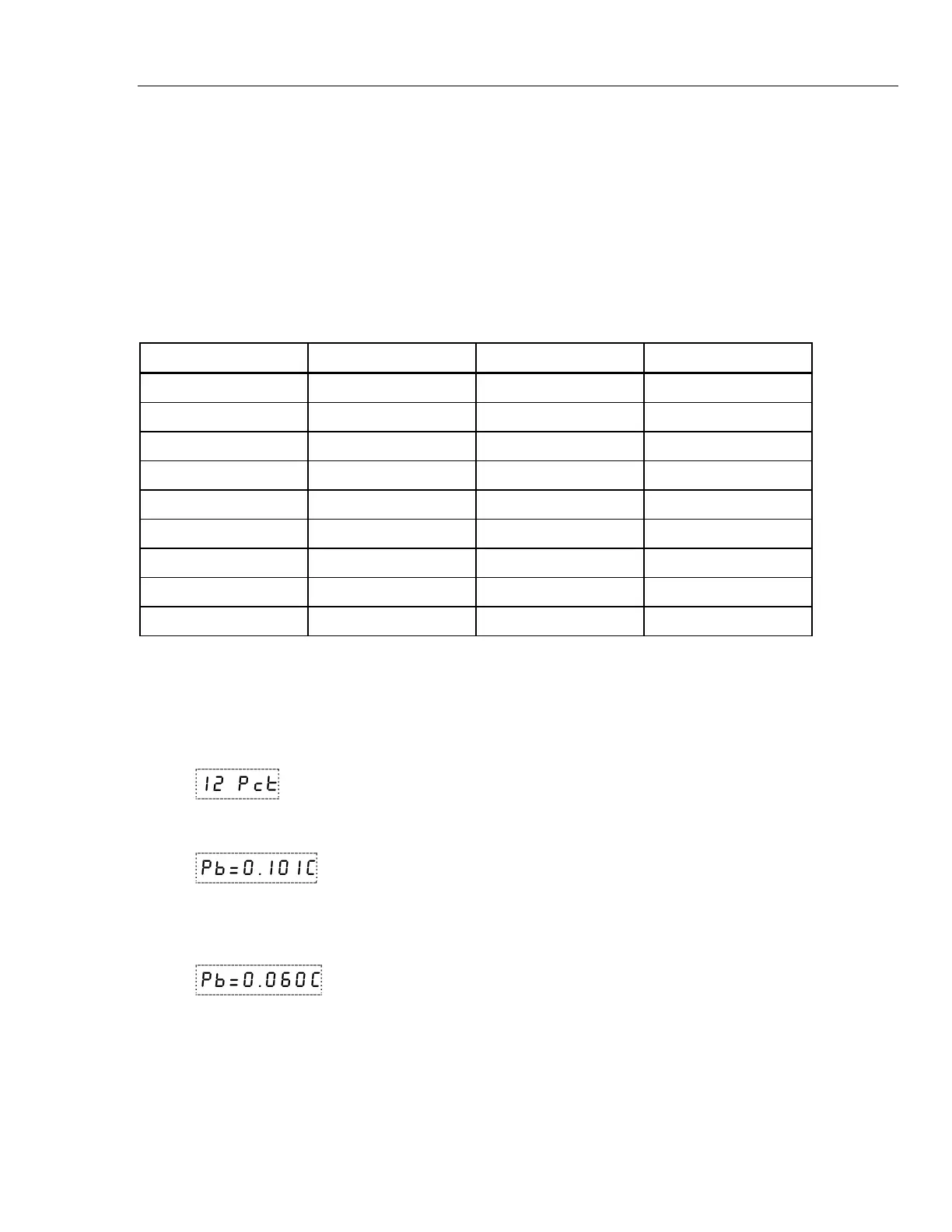
Table 9-2. Typical Proportional Band Settings for Various Fluids
Fluid Temperature Proportional Band Stability
Water 30°C 0.31°C ±0.003°C
Water 60°C 0.31°C ±0.003°C
Eth-Gly 50% 35°C 0.31°C ±0.005°C
Eth-Gly 50% 60°C 0.31°C ±0.005°C
Eth-Gly 50% 100°C 0.4°C ±0.010°C
Oil 200, 10cs 35°C 0.6°C ±0.004°C
Oil 200, 10cs 60°C 0.6°C ±0.004°C
Oil 200, 10cs 100°C 0.6°C ±0.004°C
Oil 710 200°C 0.4°C ±0.008°C
The proportional band adjustment may be accessed within the secondary menu. Press
“SET” and “EXIT” to enter the secondary menu and show the heater power. Then press
“SET” to access the proportional band.
S + E
Access heater power in secondary menu
12 Pct Heater power in percent
S
Access proportional band
Pb=0.101C Proportional band setting
To change the proportional band press “UP” or “DOWN”.
D
Decrement display
Pb=0.060C New proportional band setting
To accept the new setting and access the cutout set-point press “SET”. Pressing “EXIT”
will exit the secondary menu ignoring any changes just made to the proportional band
value.
S
Accept the new proportional band setting


 To Next Page