8270A/8370A
Operators Manual
26
Turn on the Product
To turn on the Product, turn on the main power switch, located on the left-rear of
the Product when looking at it from the front. When the Product is turned on, it
takes approximately 50 seconds to complete its power-up process. Push on
the front right side of the Product.
Note
Push to place the Product into standby at any time.
For the Product to perform to listed specifications, a warm-up period
is required after the Product is turned on or when a new PMM is
installed. See 8270A/8370A Product Specifications at Flukecal.com
for required warm up times.
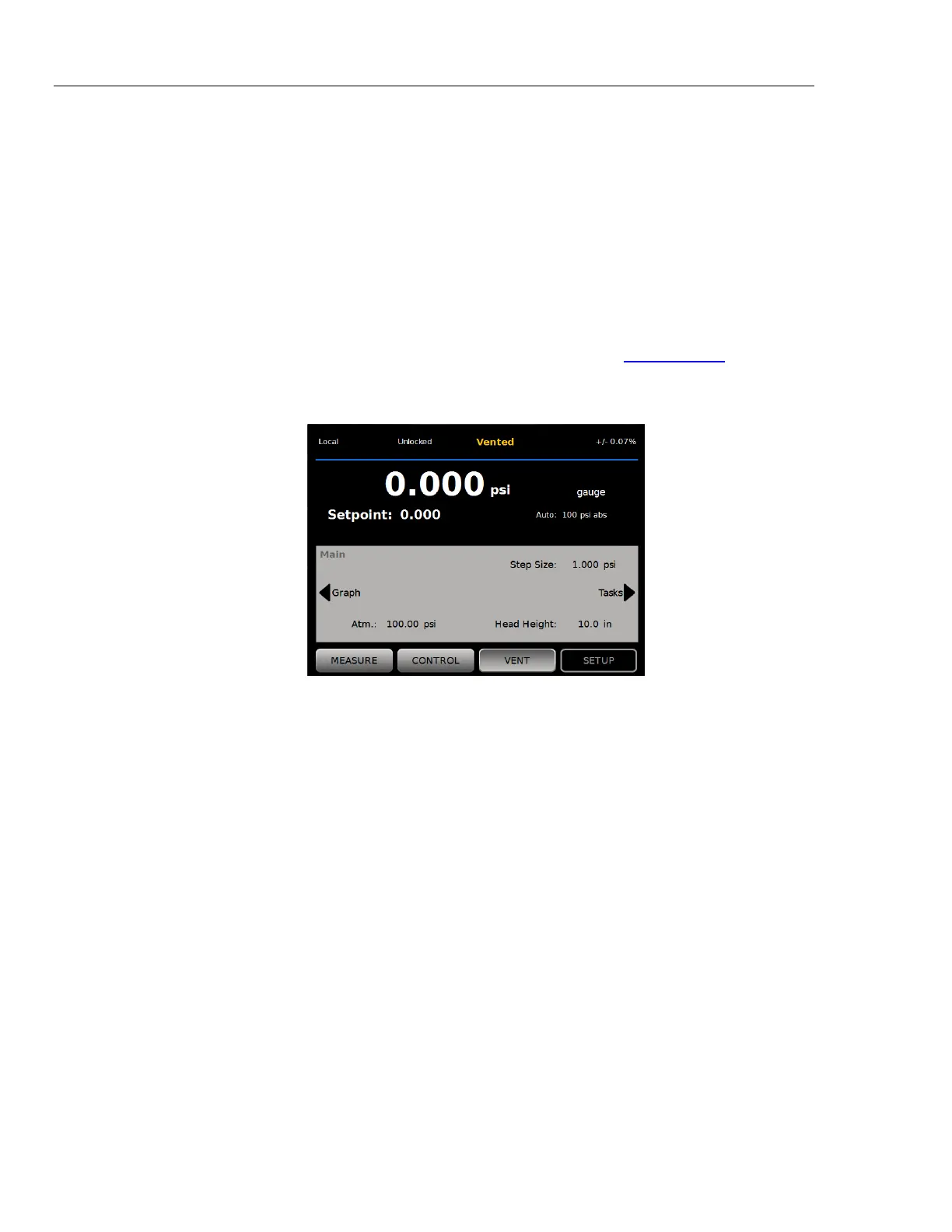
After the power-up process, the Product shows the Main menu (see Figure 6).
huo001.jpg
Figure 6. Main Screen
Main Menu
Use the Main menu to access functions and other menus. Refer to Table 9 for
information about each Main menu item. The submenus for Control Settings,
Graph, and Tasks are in Tables 10, 11, and 12.


 To Next Page