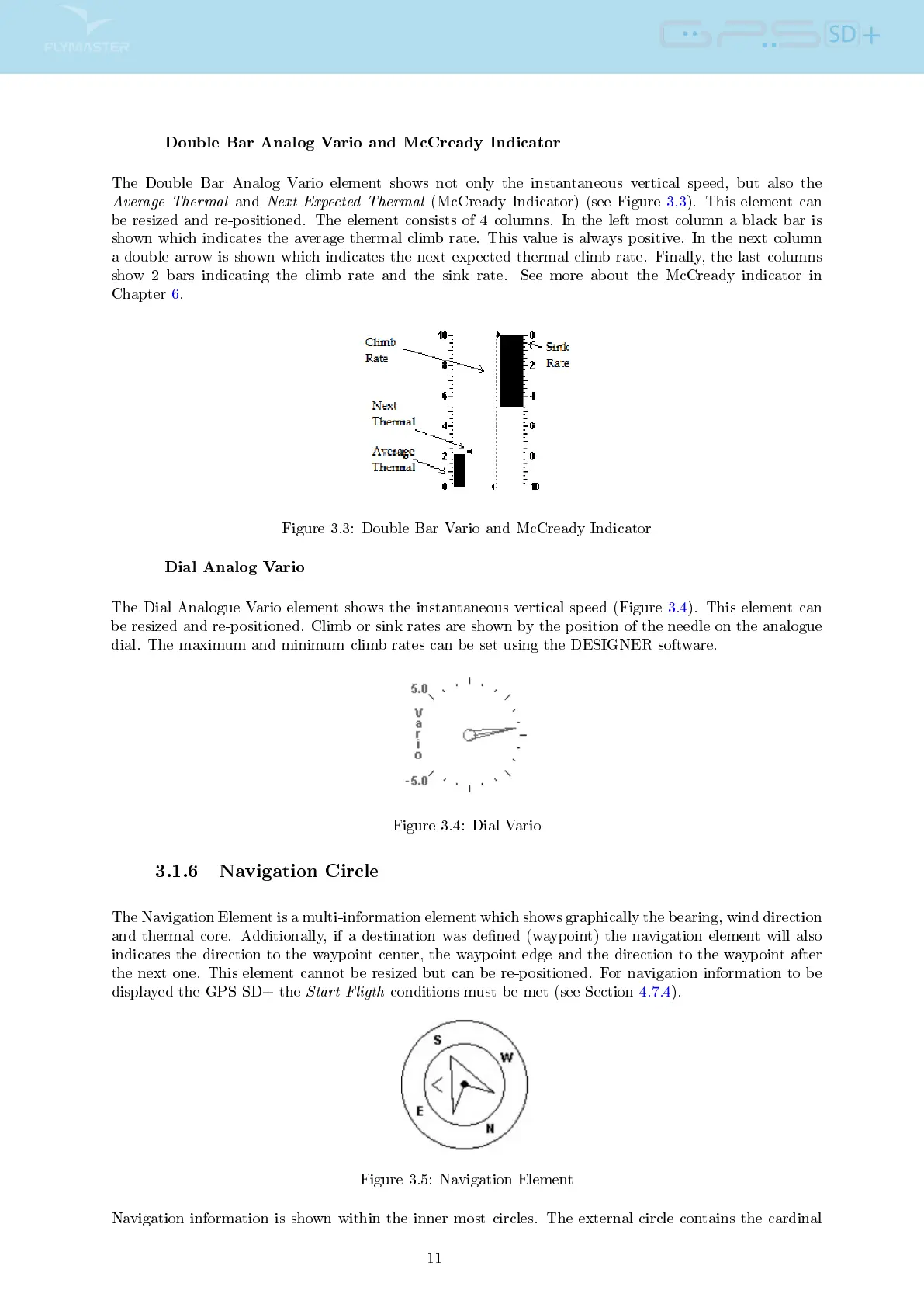
Double Bar Analog Vario and McCready Indicator
The Double Bar Analog Vario element shows not only the instantaneous vertical speed, but also the
Average Thermal
and
Next Expected Thermal
(McCready Indicator) (see Figure 3.3). This element can
be resized and re-positioned. The element consists of 4 columns. In the left most column a black bar is
shown which indicates the average thermal climb rate. This value is always positive. In the next column
a double arrow is shown which indicates the next expected thermal climb rate. Finally, the last columns
show 2 bars indicating the climb rate and the sink rate. See more about the McCready indicator in
Chapter 6.
Figure 3.3: Double Bar Vario and McCready Indicator
Dial Analog Vario
The Dial Analogue Vario element shows the instantaneous vertical speed (Figure 3.4). This element can
be resized and re-positioned. Climb or sink rates are shown by the position of the needle on the analogue
dial. The maximum and minimum climb rates can be set using the DESIGNER software.
Figure 3.4: Dial Vario
3.1.6 Navigation Circle
The Navigation Element is a multi-information element which shows graphically the bearing, wind direction
and thermal core. Additionally, if a destination was dened (waypoint) the navigation element will also
indicates the direction to the waypoint center, the waypoint edge and the direction to the waypoint after
the next one. This element cannot be resized but can be re-positioned. For navigation information to be
displayed the GPS SD+ the
Start Fligth
conditions must be met (see Section 4.7.4).
Figure 3.5: Navigation Element
Navigation information is shown within the inner most circles. The external circle contains the cardinal
11



 To Next Page