Figure 4.8: Nearby Landings
4.5 Flight Log
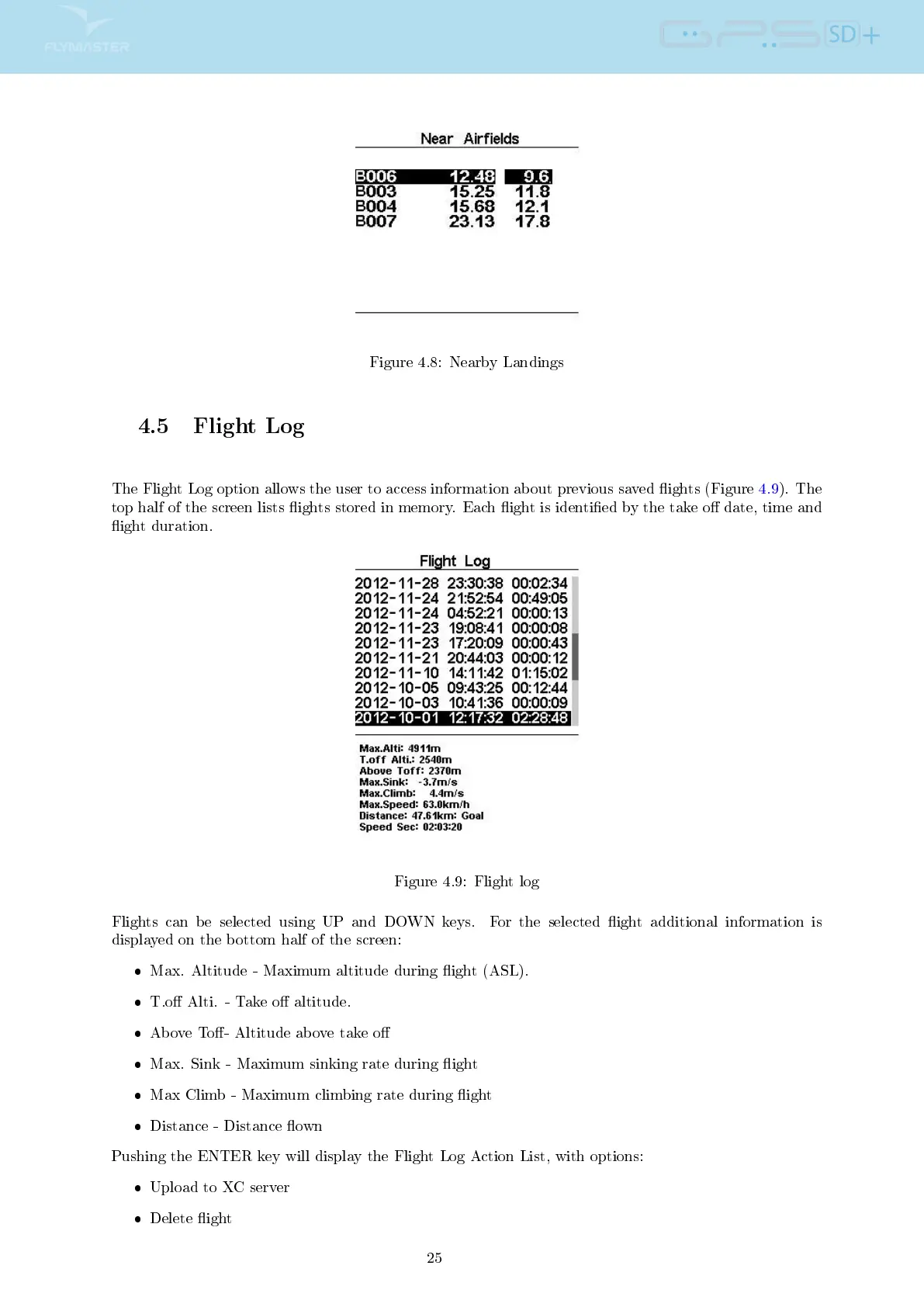
The Flight Log option allows the user to access information about previous saved ights (Figure 4.9). The
top half of the screen lists ights stored in memory. Each ight is identied by the take o date, time and
ight duration.
Figure 4.9: Flight log
Flights can be selected using UP and DOWN keys. For the selected ight additional information is
displayed on the bottom half of the screen:
Max. Altitude - Maximum altitude during ight (ASL).
T.o Alti. - Take o altitude.
Above To- Altitude above take o
Max. Sink - Maximum sinking rate during ight
Max Climb - Maximum climbing rate during ight
Distance - Distance own
Pushing the ENTER key will display the Flight Log Action List, with options:
Upload to XC server
Delete ight
25



 To Next Page