3.2 Data eld Elements
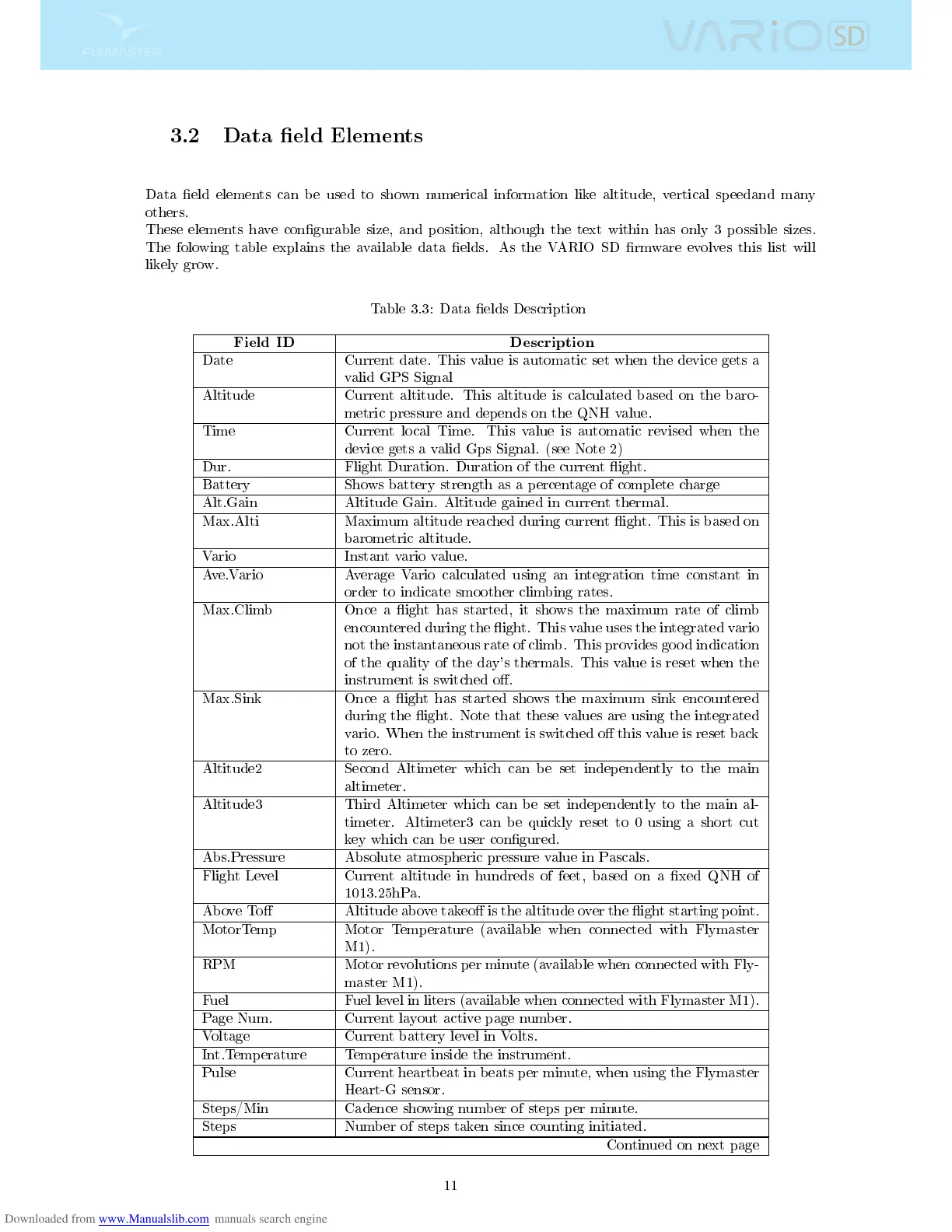
Data eld elements can be used to shown numerical information like altitude, vertical speedand many
others.
These elements have congurable size, and position, although the text within has only 3 possible sizes.
The folowing table explains the available data elds. As the VARIO SD rmware evolves this list will
likely grow.
Table 3.3: Data elds Description
Field ID Description
Date Current date. This value is automatic set when the device gets a
valid GPS Signal
Altitude Current altitude. This altitude is calculated based on the baro-
metric pressure and depends on the QNH value.
Time Current local Time. This value is automatic revised when the
device gets a valid Gps Signal. (see Note 2)
Dur. Flight Duration. Duration of the current ight.
Battery Shows battery strength as a percentage of complete charge
Alt.Gain Altitude Gain. Altitude gained in current thermal.
Max.Alti Maximum altitude reached during current ight. This is based on
barometric altitude.
Vario Instant vario value.
Ave.Vario Average Vario calculated using an integration time constant in
order to indicate smoother climbing rates.
Max.Climb Once a ight has started, it shows the maximum rate of climb
encountered during the ight. This value uses the integrated vario
not the instantaneous rate of climb. This provides good indication
of the quality of the day's thermals. This value is reset when the
instrument is switched o.
Max.Sink Once a ight has started shows the maximum sink encountered
during the ight. Note that these values are using the integrated
vario. When the instrument is switched o this value is reset back
to zero.
Altitude2 Second Altimeter which can be set independently to the main
altimeter.
Altitude3 Third Altimeter which can be set independently to the main al-
timeter. Altimeter3 can be quickly reset to 0 using a short cut
key which can be user congured.
Abs.Pressure Absolute atmospheric pressure value in Pascals.
Flight Level Current altitude in hundreds of feet, based on a xed QNH of
1013.25hPa.
Above To Altitude above takeo is the altitude over the ight starting point.
MotorTemp Motor Temperature (available when connected with Flymaster
M1).
RPM Motor revolutions per minute (available when connected with Fly-
master M1).
Fuel Fuel level in liters (available when connected with Flymaster M1).
Page Num. Current layout active page number.
Voltage Current battery level in Volts.
Int.Temperature Temperature inside the instrument.
Pulse Current heartbeat in beats per minute, when using the Flymaster
Heart-G sensor.
Steps/Min Cadence showing number of steps per minute.
Steps Number of steps taken since counting initiated.
Continued on next page
11



 To Next Page