DR (Dual Rates)
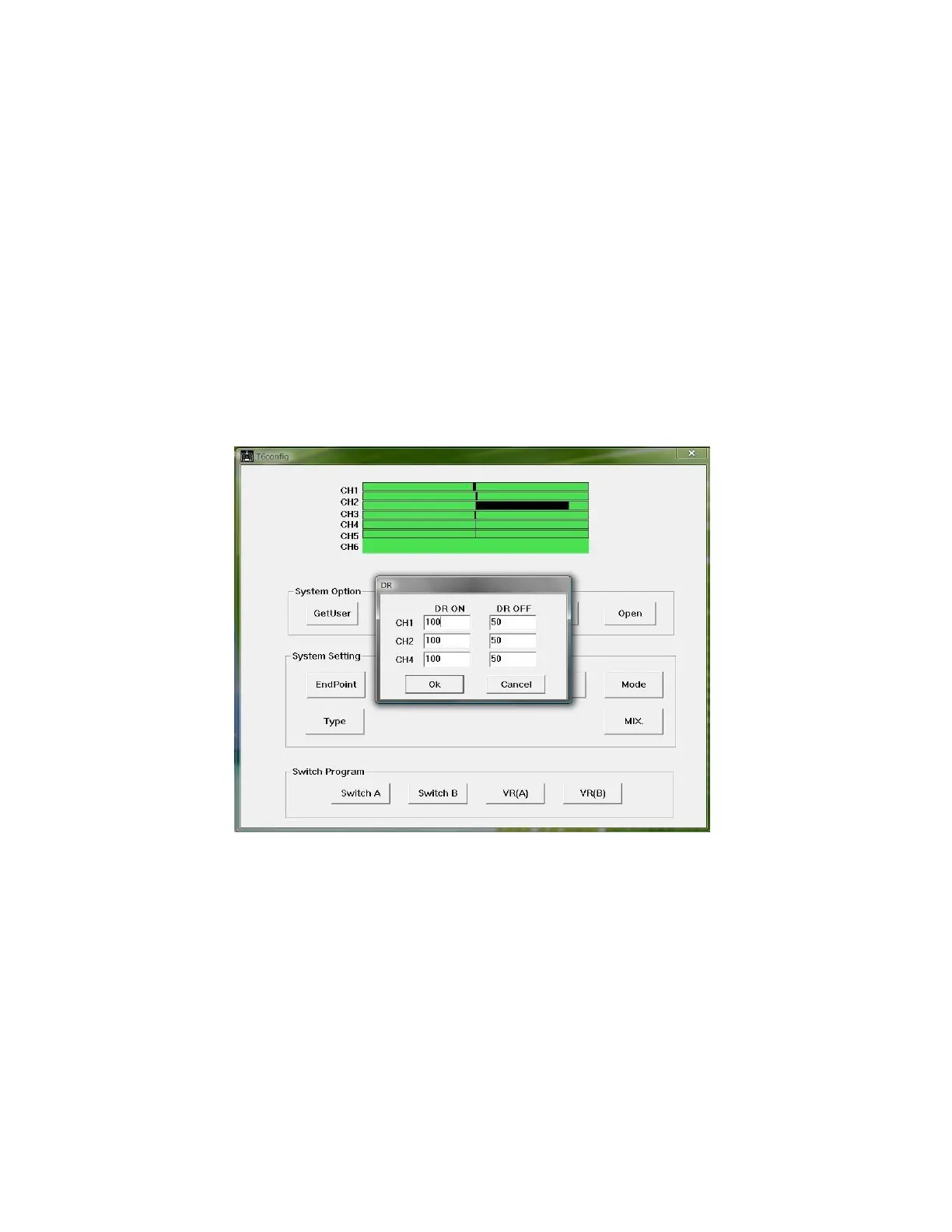
Dual rates can be programmed by clicking the “DR” button. In the DR
window only CH1, CH 2, and CH 4, can be programmed with dual rates (see
illustration 10). There are parameters for DR On and DR Off. The parameters can
be set from 0% - 100%. In order for dual rate to be active you must assign either
SW. A or SW. B for DR (dual rates) in the “Switch Program” menu for SW. A or
SW. B. Dual rates are useful for limiting the travel of the control surfaces on your
model. A good starting point is 50%.
Illustration 10: Dual Rates window
Help
The “Help” button is useless.



 To Next Page