To load a saved model to the T6 click “Open”. In the Open window select
the desired saved model file and click “Open”(see illustration 4). If the Tx is
already connected to T6config the file is automatically uploaded to the Tx.
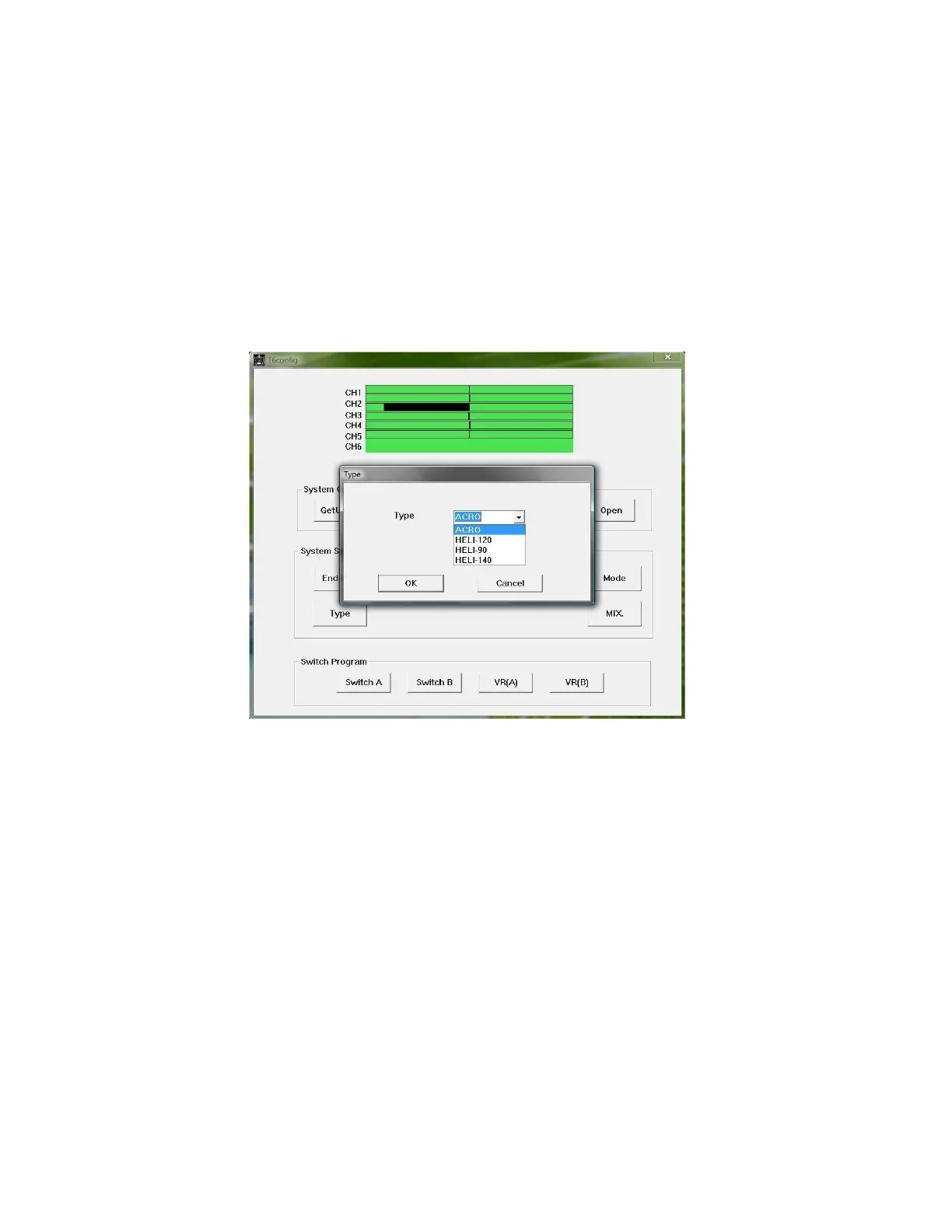
Illustration 5: Aircraft Type window
To select a model type click “Type”. In the type window (see illustration 5) there
are four choices:
1.
ACRO (airplane)
2.
HELI-120
3.
HELI-90
4.
HELI-140
In this manual only ACRO (airplane) will be used. Select “ACRO” to begin
programming your model.



 To Next Page