Programming
Mixes
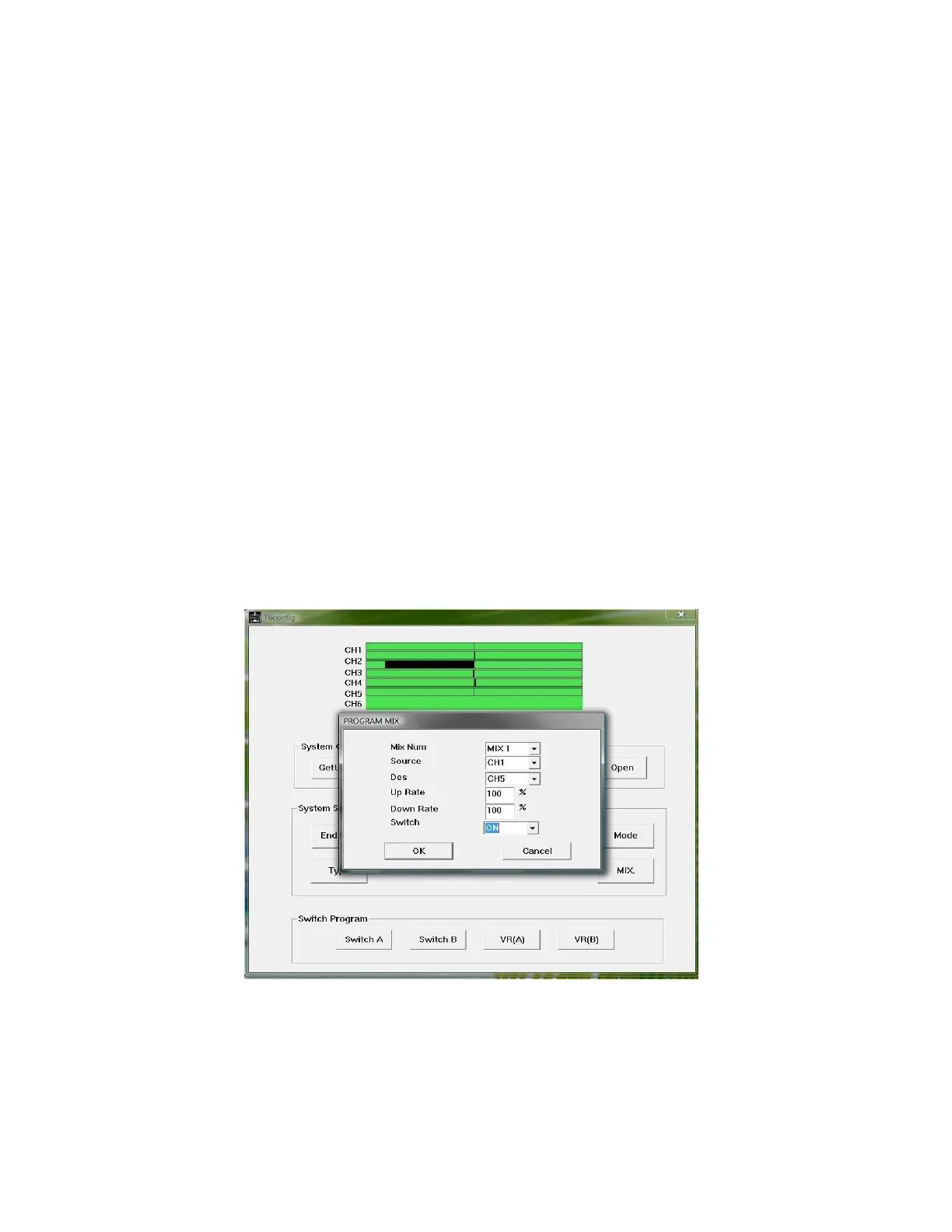
To program a mix click the “MIX” button. A small window will open (see
illustration 6). The parameters for mixing are:
1.
Mix Number: MIX 1, MIX 2, and MIX 3
2.
Source: CH 1- CH 6, VR A, and VR B
3.
Des (destination): CH 1- CH 6
4. Up Rate: -100% to +100%
5. Down Rate: -100% to +100%
6. Switch: SW A, SW B, ON, and OFF
In the switch parameter do not confuse ON (mix active) and OFF (mix inactive)
with the functions of SW A or SW B. To assign a function for SW A or SW B
select them in “Switch Program”
Illustration 6: Program Mix window



 To Next Page