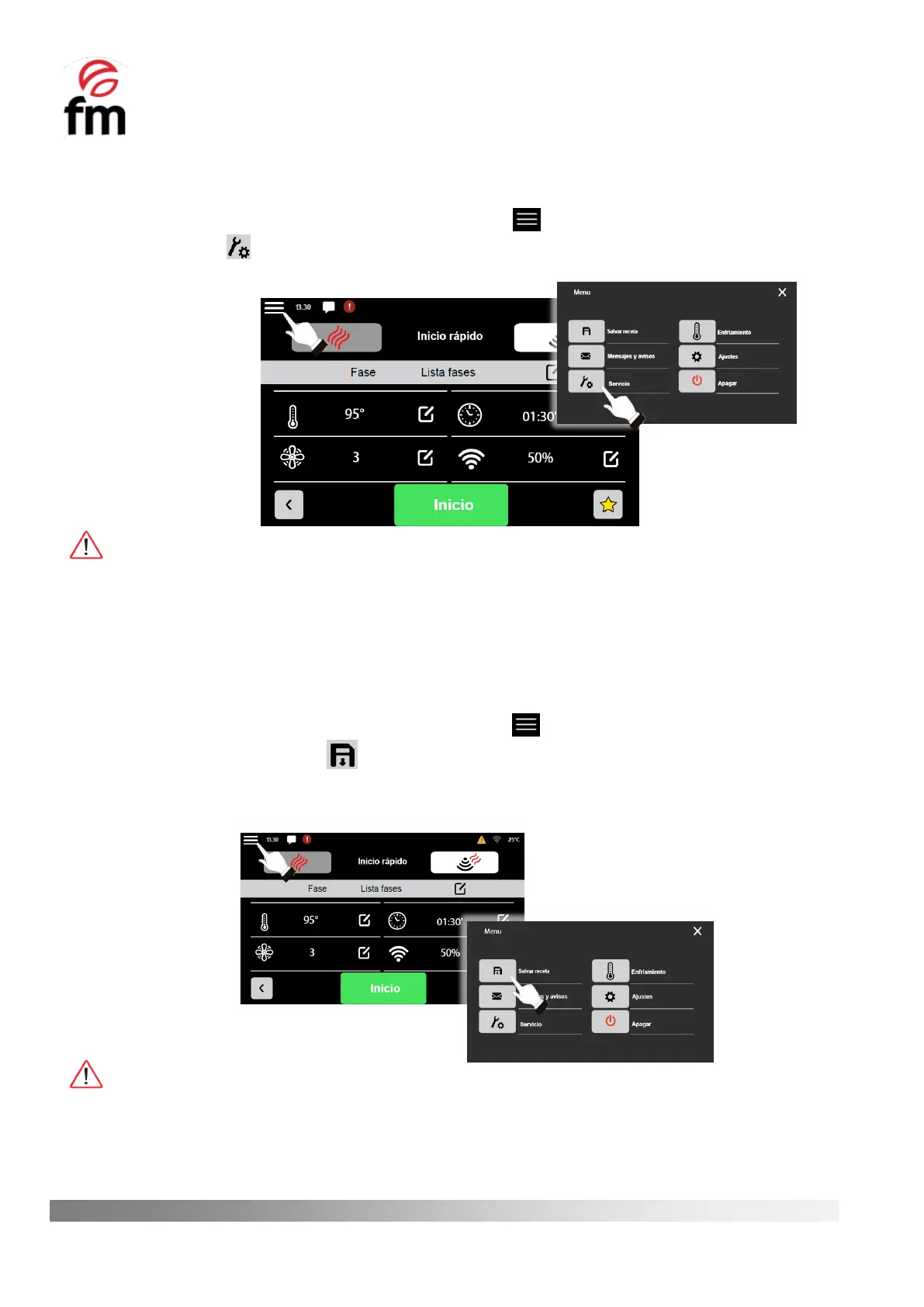
6.6.2 “SERVICE” submenu (access from “main menu recipes”)
1. Make sure that the device is switched on and no operation is in progress.
2. From the recipe parameters configuration screen, click on the icon.
3. Click on the icon to access the settings submenu.
This submenú may only be accessed by an authorised service technician and under no circumstances may it be
manipulated by the end user of the appliance. In order to access it, an access code is required, which will be provided by
the FM technical service to the authorised person at the time of carrying out repair or maintenance work on the appliance,
and whenever the intervention so requires.
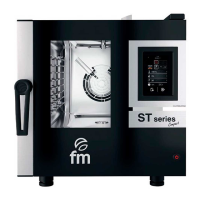
6.6.3 “SAVE RECIPE” action (access from "main menu recipes")
1. Make sure that the device is switched on and no operation is in progress.
2. From the recipe parameters configuration screen, click on the icon.
3. Click on the icon “SAVE RECIPE” to start the process of saving a recipe. You must then assign a name to the
recipe, classify it into one of the six categories that are already included by default in the appliance’s memory,
and choose an icon that corresponds to the product you are going to cook.
To access the recipe already saved, simply go to the initial screen and access the category that was selected during
the saving process.



 To Next Page