14
3. Using the Clarett 8Pre as a stand-alone mixer
The Clarett 8Pre has the ability to store a mix conguration dened in Focusrite Control within the
hardware. This feature lets you congure it – for example, as an on-stage keyboard mixer – using
your computer, and then upload the conguration to the device itself. Then you can use the Clarett
8Pre as a rack-mounting mixer as part of your keyboard rig to control the overall mix of multiple
keyboards.
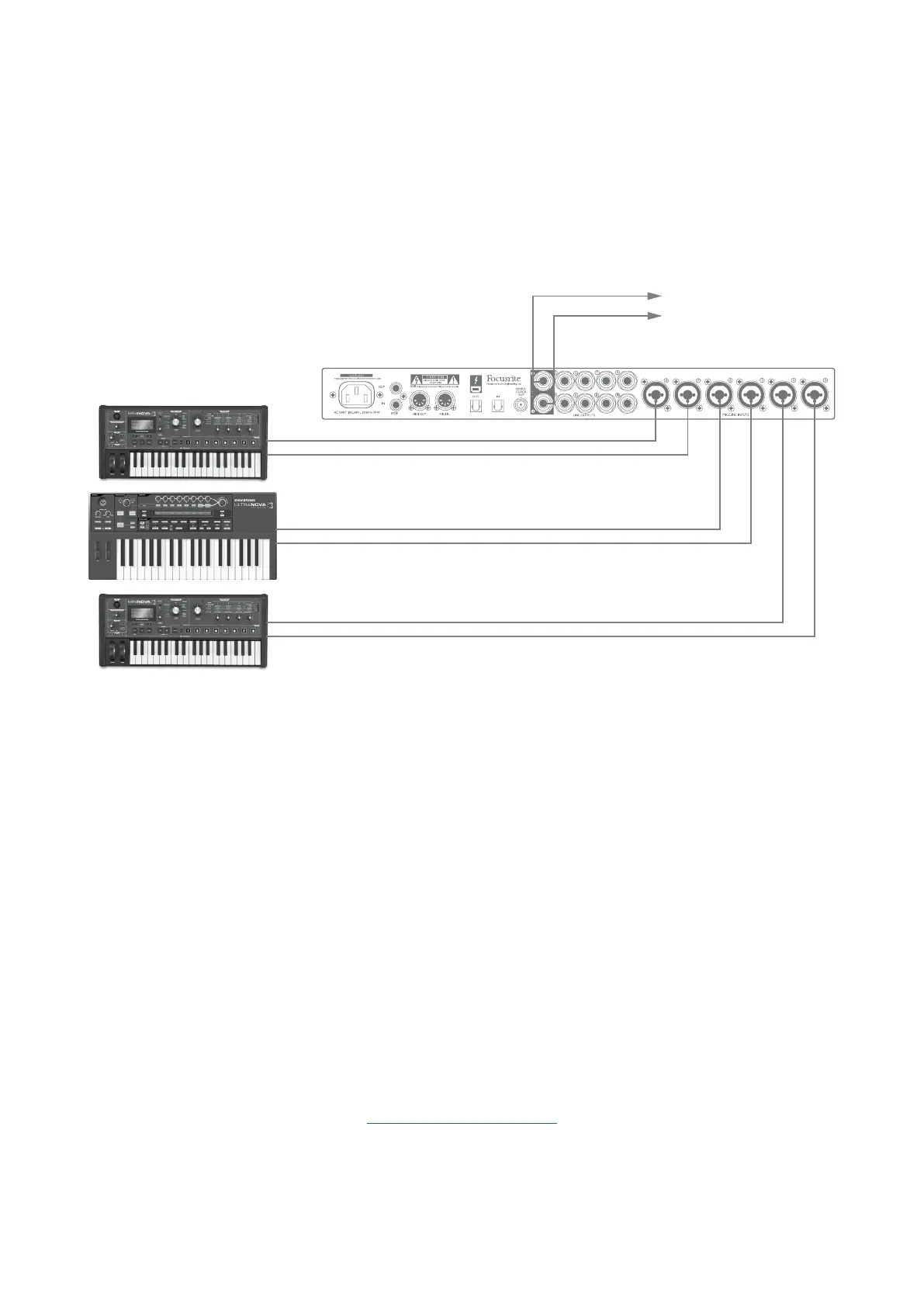
To FOH Mixer
In the example above, three stereo keyboards are connected to the rear panel inputs of the Clarett
8Pre; Outputs 3 and 4 go to the main PA system. The performer can adjust the volume of the individual
keyboards from the front panel; he/she can also independently adjust the level they hear the mixed
keyboards at through the speakers.
4. Loopback Recording
Focusrite Control’s Loopback feature lets you record other audio sources from within your computer
(e.g., the audio output from a web browser). Loopback uses the Clarett’s “virtual” inputs, which have
no physical connectors on the hardware interface itself, but may be selected in the DAW as signal
sources for recording.
By routing DAW 1 and 2 to your Loopback mix in Focusrite Control, when you select the Loopback
output as the recording source on a mono or stereo DAW track, you can record from another software
application into your DAW. Note that your computer will assign DAW 1 and DAW 2 as the default
sound output channels.
For instructions on how to use the Loopback recording function, please see the Focusrite Control
Clarett User Guide available from:
focusrite.com/downloads














 To Next Page