7
9. LOCKED – a green LED which conrms clock synchronisation, either to the Clarett 8Pre’s
internal clock or to an external digital input.
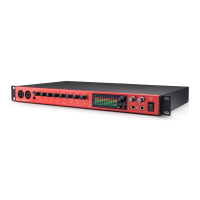
10. MONITOR – main monitor output level control – this control will normally control the level
at the main monitor outputs on the rear panel, but can be congured in Focusrite Control to
adjust the level of any of the unit’s ten analogue outputs.
11. DIM and MUTE – two switches controlling the Clarett 8Pre’s monitor outputs; DIM reduces
the output levels by 18 dB, while MUTE turns the outputs off. By default, these switches affect
the main monitor outputs 1 and 2, but may be congured in Focusrite Control to act on any
of the analogue outputs. The switches are internally illuminated (DIM: yellow, MUTE: red)
indicating the function is selected.
12. HP1 and HP2 – connect one or two pairs of stereo headphones at the two ¼” TRS jack sockets
below the controls. The headphone outputs always carry the signals currently routed to
analogue outputs 7/8 and 9/10 (as stereo pairs) in Focusrite Control.
13. POWER – AC power switch and LED.
14. Rack ears for mounting the Clarett 8Pre in a standard 19” equipment rack.














 To Next Page