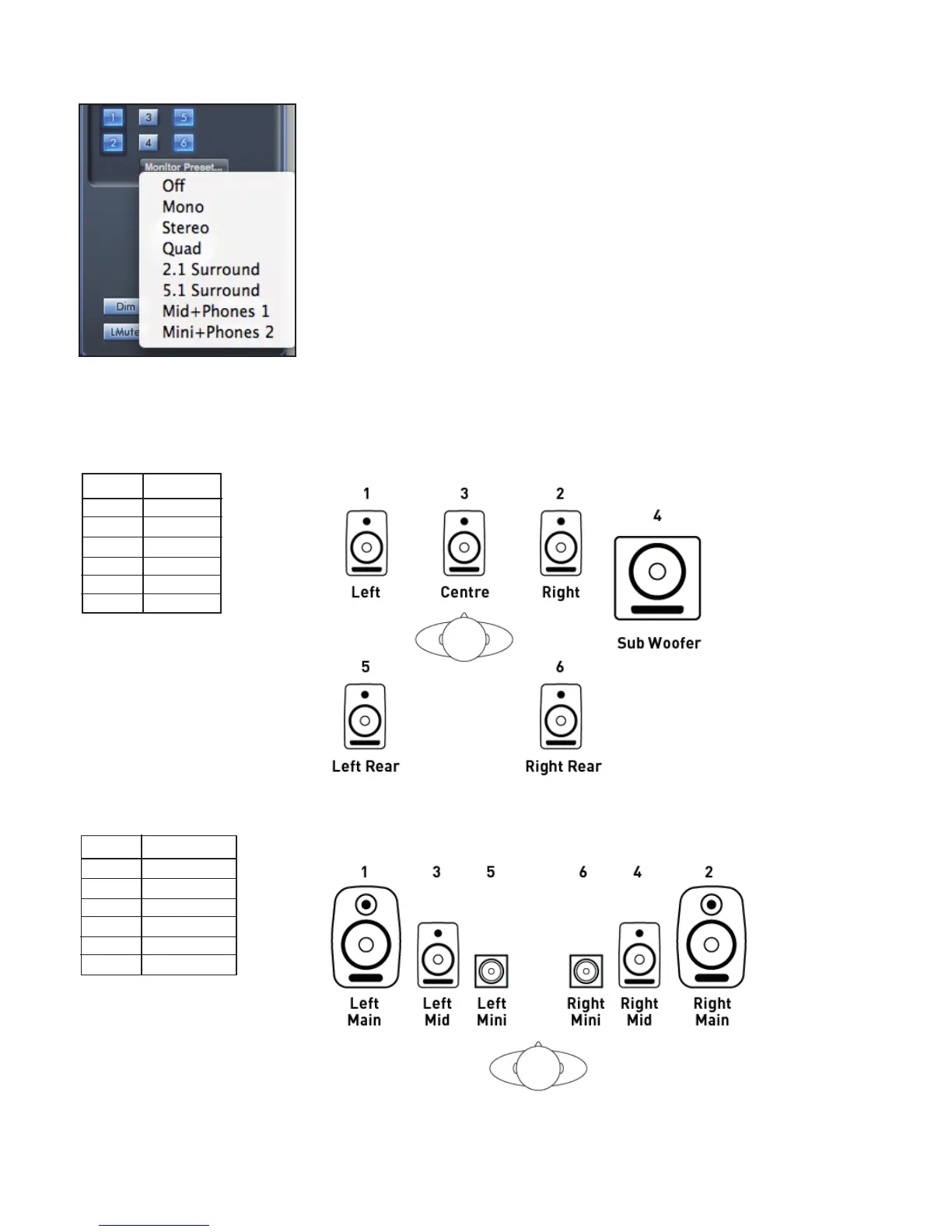
Monitor Presets drop-down menu
These presets allow quick changing of typical monitoring set-ups.
For the monitor presets to work, you must have your speakers connected to the line outputs as shown in the picture below.
Surround Sound Monitoring: Quad, 2.1, or 5.1.
Line out Speaker
1 Left
2 Right
3 Centre
4 Sub Woofer
5 Left Rear
6 Right Rear
Loudspeaker Set-up: Main, Mid, Mini
Line out Speaker
1 Left Main
2 Right Main
3 Left Mid
4 Right Mid
5 Left Mini
6 Right Mini




 To Next Page