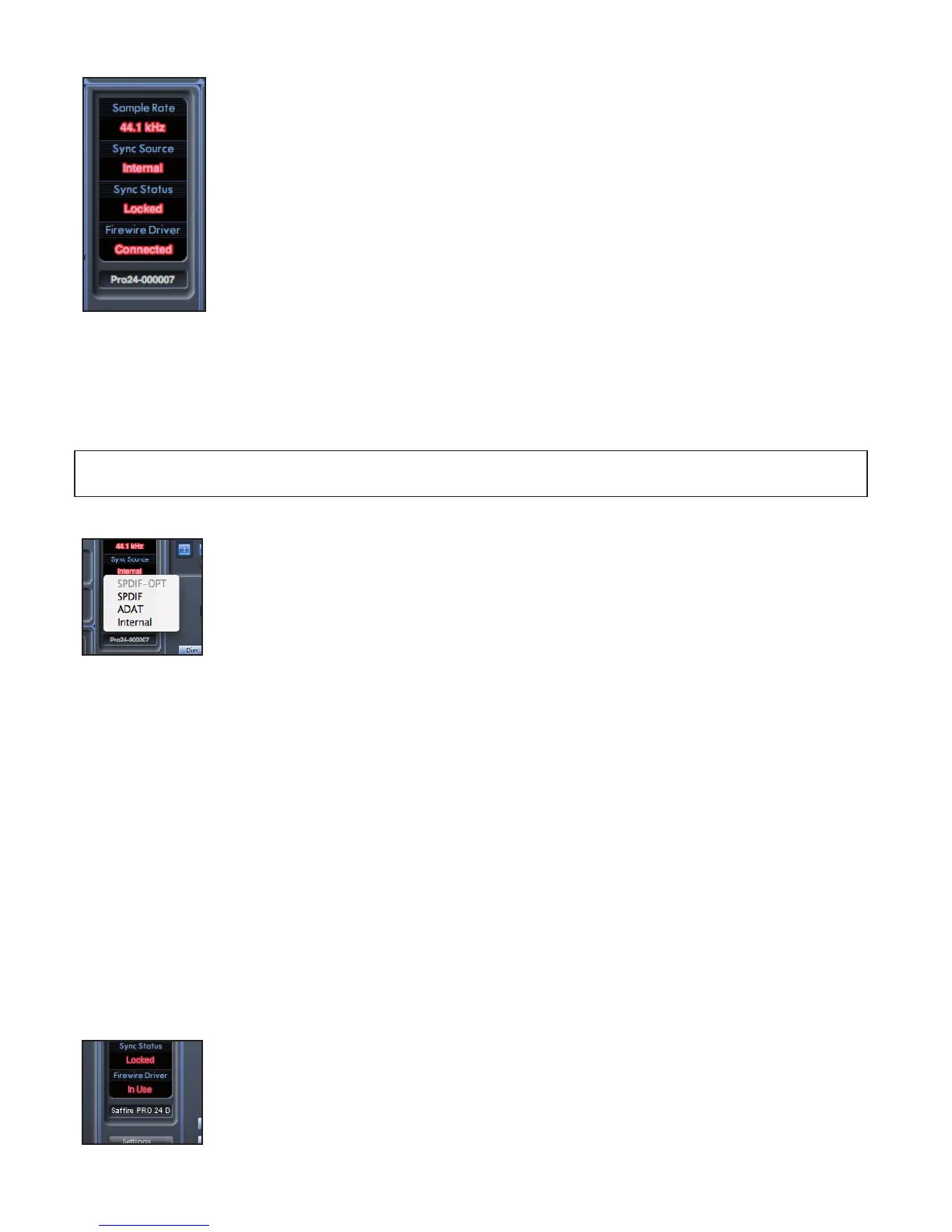
Device Status section
The Device Status section shows information about the sample rate, synchronisation and driver status of the
Safre PRO 24 DSP. The desired sample rate can be set as well as external synchronisation options for using
the Safre PRO 24 DSP with external digital devices.
Sample rate display
This displays the current Sample rate at which the Safre PRO 24 DSP is running. To change the Sample rate, click on the red
sample rate value and select 44.1kHz, 48kHz, 88.2kHz, or 96kHz,
Note: it is must quit your DAW application BEFORE you make sample rate changes to prevent any undesirable side-effects in your
DAW!
Sync Source display
Displays the currently selected sync source (red display) – To change the sync source, click on the red sync
source value and select SPIDF -OPT, SPDIF, ADAT, or Internal.
Sync source locked display
Displays “Locked” when the Safre PRO 24 DSP has successfully locked to the specied Sync Source.
If “No Lock” is seen, then the unit has been unable to lock to either an external ADAT or S/PDIF signal. If this is the case, then
please check that digital cables are secure in their input sockets, and that the external digital devices have been set up as
master devices.
FireWire Driver
This should display “Connected” at all times when the Safre PRO 24 DSP is connected to the computer via FireWire. If this shows
“Disconnected” please check FireWire connections, check that the unit is switched on etc. If it still shows “Disconnected” then
restart the computer and then restart the Safre PRO 24 DSP.
Unit Name Text Field
Allows naming of the Safre PRO 24 DSP unit. Double click in the eld and enter your text. Press enter (return) on your computer
keyboard to complete.
FireWire Driver In Use
When the Audio Applications are open and using the Safre PRO 24 driver, the FireWire Driver Status will
show ‘In Use’. Various Settings will be unavailable until the Audio applications have been closed and the
FireWire Driver Status and reverted to ‘Connected’.




 To Next Page