Getting Started
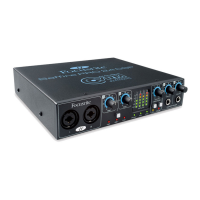
The Safre PRO 24 DSP has a single 6 pin FireWire port on the back. This FireWire connection will work with any of the current
FireWire standards and connectors; FireWire 400 (6 pin or 4 pin connection); and FireWire 800.
BEFORE YOU CONNECT THE Safre PRO 24 DSP TO YOUR COMPUTER, PLEASE RUN THE INSTALLER. This will ensure that the
correct drivers are used, thus preventing any unexpected behaviour
The Safre PRO 24 DSP ships with a 6 pin FireWire cable. However on Windows laptops, the FireWire connection may be 4 pin
FireWire. In this case you will need to purchase a 6 pin to 4 pin cable.
You may have a FireWire 800 connector on your computer. In this case you will need to purchase a 6 pin FireWire 400 to 800 cable or
adapter.
The Safre PRO 24 DSP can be powered via the FireWire connection when using 6 pin FireWire 400 or FireWire 800. When
connected to a 4 pin FireWire you will need to use the supplied PSU.
Note:
FireWire considerations - Most computers will generally be equipped with 1 FireWire bus. You may have multiple FireWire ports
(connectors) on your computer, but these are all connected to 1 physical chip which controls the bus.
The FireWire bus is limited in the amount of data bandwidth it can handle. Each additional FireWire device connected to the FireWire
bus demands additional bandwidth resources, thus increasing the chances of exceeding the total available bandwidth. Consequently,
it is recommended that Safre PRO 24 DSP DSP run on its own FireWire bus for best performance.
The Safre PRO 24 DSP should be able to work alongside other devices connected to the same FireWire bus. However, problems
may arise depending on which FireWire devices are connected. For example, a FireWire disk used for back-up or a digital camera
should not cause any problems, but when streaming audio from a FireWire hard disk or a FireWire box such as Focusrite Liquid Mix,
the total FireWire bandwidth may be reached. This will result in audio drop outs, or reduced performance on either the Safre PRO
24 DSP or the other connected FireWire device.
For this reason, we would recommend that you use a separate FireWire bus for each FireWire device. This may be a PCI / PCIe card
in your desktop, or a PCMCIA or Express card in your Laptop.
In order to maximise the life of your FireWire ports, we recommend that you do not connect or disconnect your Safre PRO 24 DSP
whilst bus powered.














 To Next Page