18
Creating an effects loop
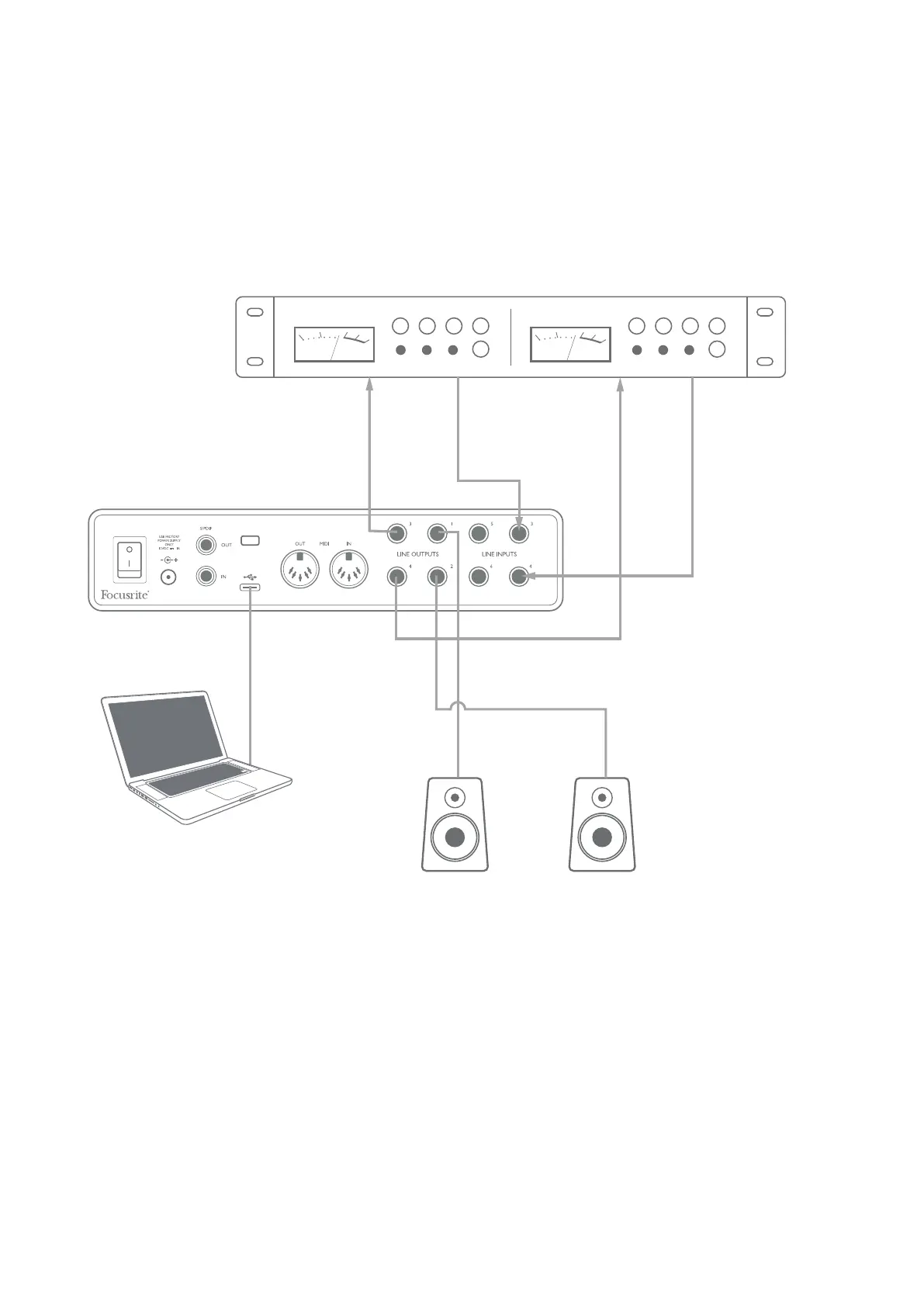
The Scarlett 8i6 allows the easy integration of external outboard processors or effects. A good example
is the inclusion of an outboard stereo compressor to a recording setup similar to that outlined above.
Connect Line Outputs 3 and 4 to the compressor’s inputs, and the compressor’s outputs to Line
Inputs 3 and 4, as shown below. We have omitted the front panel connections in this example for
clarity.
CH 1
IN OUT
CH 2
IN OUT
See previous example diagrams
for details of connectors
You can adjust the levels to and from the external processor from Focusrite Control, if necessary.










 To Next Page