12
Examples of Usage
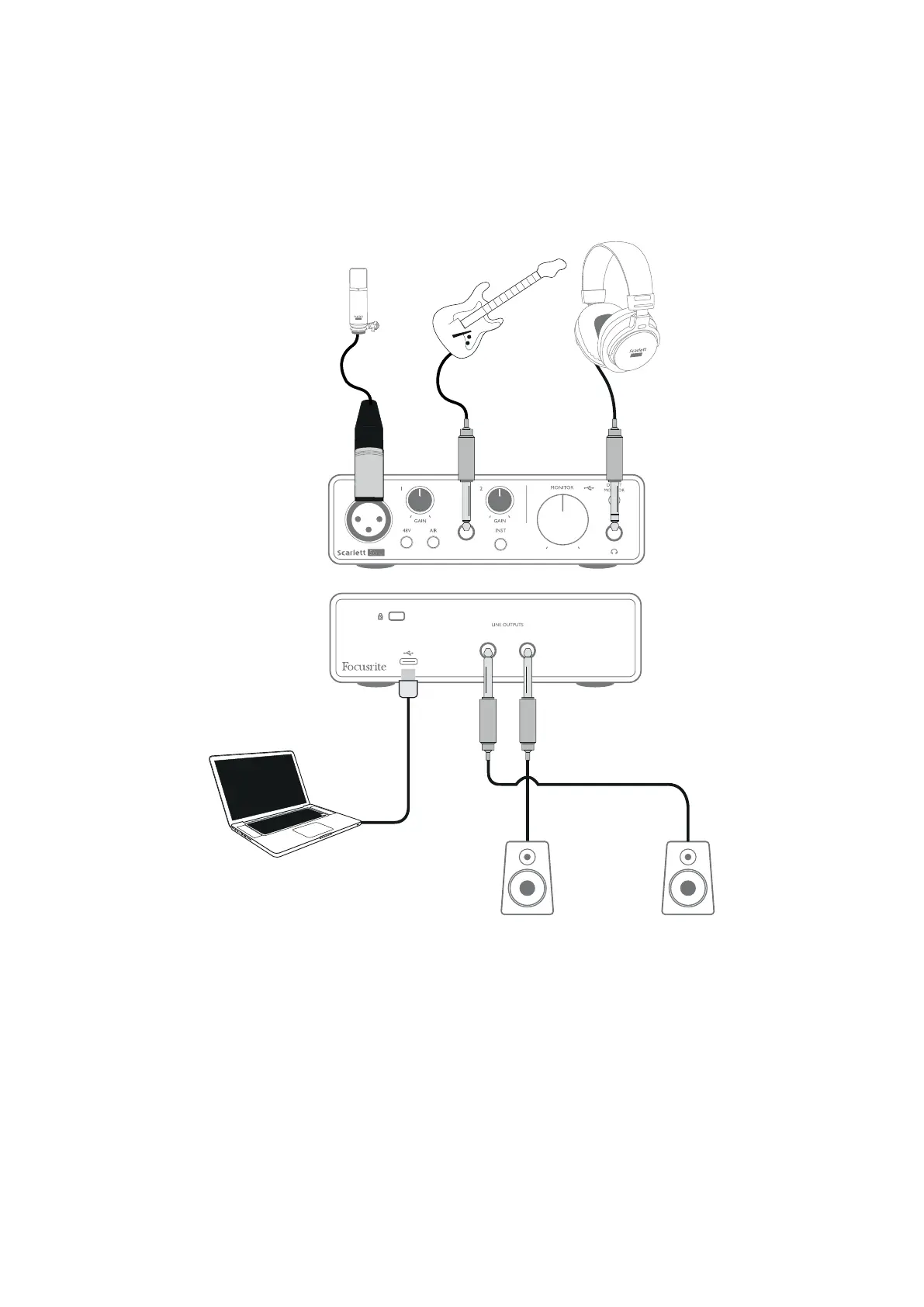
Scarlett Solo is an ideal audio interface for many DAW applications running on a laptop or other
computer, PC or Mac. A typical set of connections is illustrated below.
Connecting a microphone or instrument
RIGHT LEFT
This setup shows a typical conguration for recording using DAW software on your Mac or PC. You
would record vocals through Input 1 and guitar through Input 2 into your recording application, while
monitoring the playback via headphones.
Scarlett Solo’s inputs are on the front panel; Input 1 uses a standard 3-pin XLR socket, and is congured
to work with microphones of most types; you will nd a mating XLR male connector on the end of the
mic cable supplied. Input 2 uses a ¼” (6.35 mm) jack socket (2-pole when in instrument mode and
3-pole when used as a line input), and is intended to accept higher level signals from a guitar or bass.









 To Next Page