2) Plug the cord from the dosing station of Balling solutions into the Alkatronic
socket. See Figure 4"
Now, as long as the Alkatronic socket is ”open”, which is indicated by a blue light on
the socket, the Alkatronic socket gives power to your Balling-station, and therefore
your doing station is controlled by its internal schedule. Only when a measured dKH
is above your settled high reference value (and action mode is enabled), will the
Alkatronic socket shut off, and thus independently of what your dosing station
”wants to do”, it will shut down until dKH is back again within the reference values."
See also ”Reference value/actions ”"
For Calciumreactor and/or Balling users with an aquariumcomputer with a
BNC-port for pH electrode
These users can, instead of or in addition to our own Alkatronic socket, connect
Alkatronic to an ordinary pH input of an aquarium computer (or pH computer)
through an ordinary BNC-cable. The aquarium computer will then receive the dKH
values from Alkatronic on its pH-input, and you can use this dKH-information to
implement any actions you desire through your aquarium computer's programs. "
Establish Bluetooth-connection
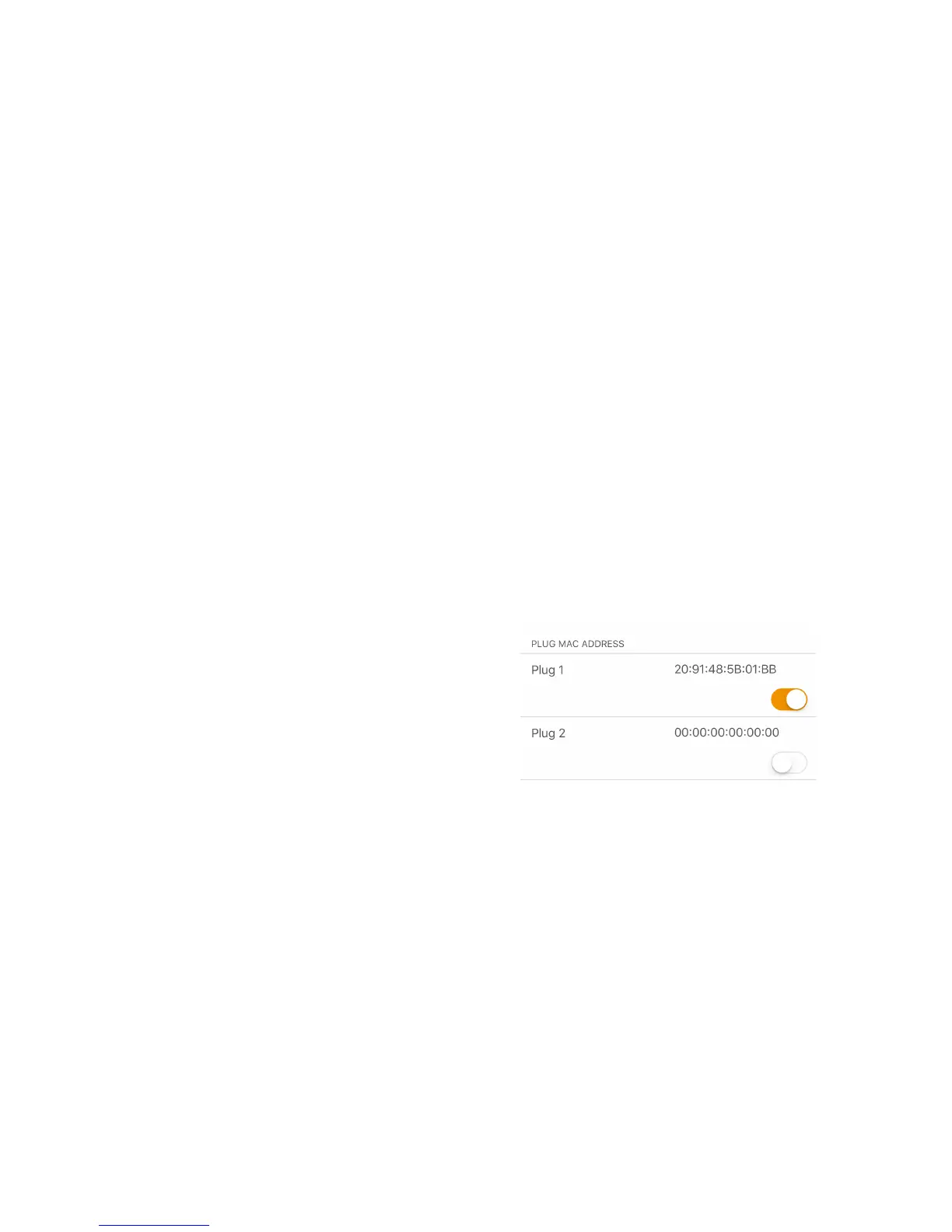
• Go to settings and enter the MAC-
address (see attached info in package) of
the included socket at ”Plug 1”-field, slide
the button to orange, and press save. If
your are not able to slide the button to
orange (shadowed), then go to settings
and switch ”action mode” to enable,
then try again. "
Now that you have a BT-connection between Alkatronic and the socket, the socket
should have turned on. Try to toggle the Plug 1 button and make sure the socket
reacts. Do not forget to leave it on enable (orange). If for some reason it is not
turning on, check that you have BT-connection (green dot on home-screen),
and action mode enabled. If ”action mode” is disabled, the control of BT-socket is
deliberately locked. "
As long as the measured dKH is below the ”High reference value” the socket will be
left on. If the machine measures a dkH above the settled High reference value, and
action mode is enabled, the socket will be turned off, and the machine will
measure again after 2 hours. When a subsequent dKH measurement is below the
High reference value, the socket will go back to ”on”. "


 To Next Page