C SERIES USER’S MANUAL
16
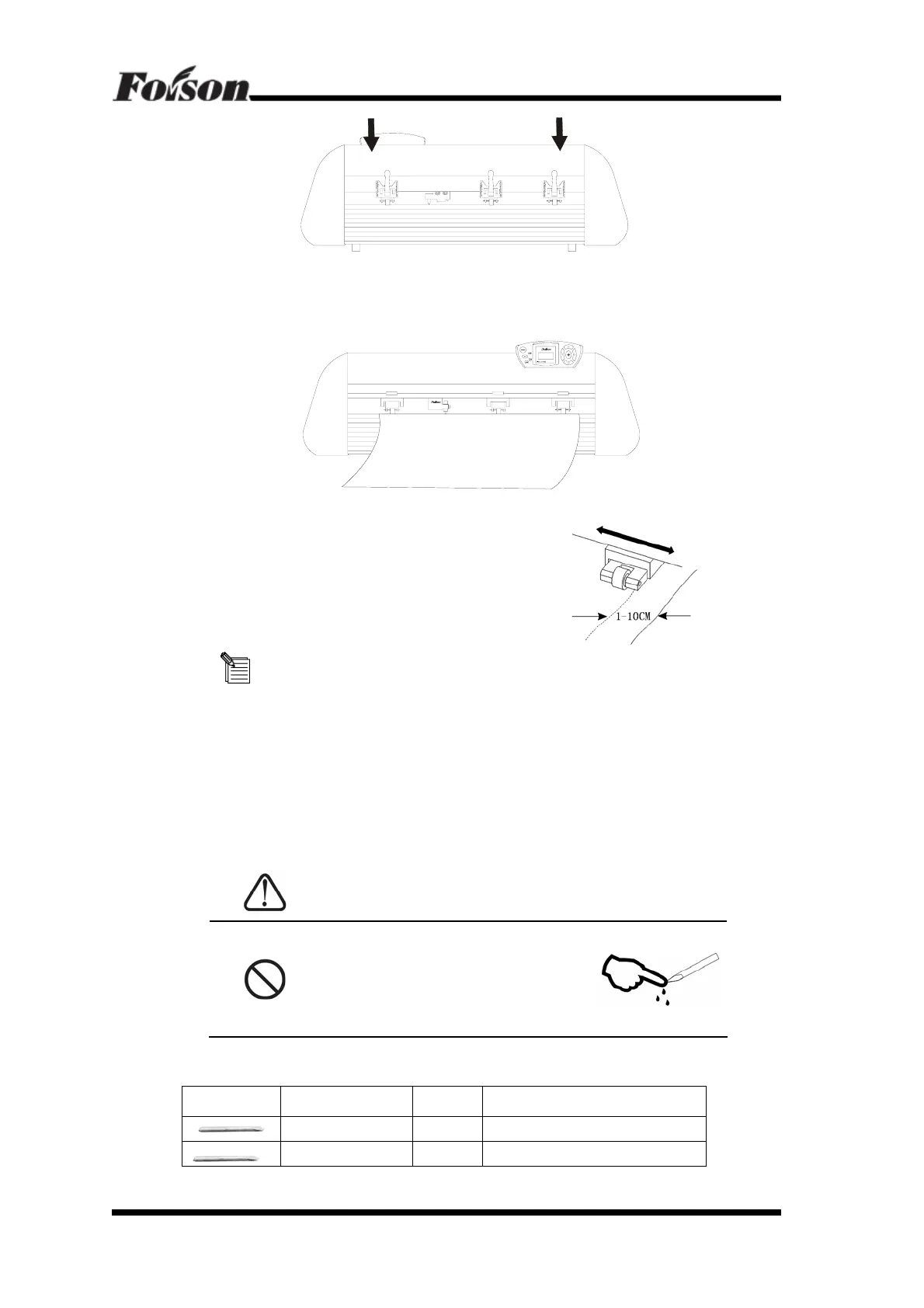
5.2.2 Insert the media into the space between paperweight wheel and main shaft, and pull
out the media to appropriate length from the front of the host.
5.2.3 Move the paperweight wheel to the white identified
area, then adjust position of the media, a distance of
about 1-10CM is set between paperweight wheel and
media to ensure good running of media
The cutter adopts high-precision transmission shaft, and pay attention to the
position of the paperweight wheel. The paperweight wheel must be fixed above the white
identified area on the transmission shaft.
5.2.4 Raise two handles of paperweight wheel, to make paperweight wheel down to
press paper
5.3 Tools Installation
CAUTION
Do not touch the knife top with
your finger to preserve injury or
passivetion of knife head.
5.3.1Tool Introduction and Application
Icon Series Number Angle Application
45° C12/24/C48
60° C12/24/C48



 To Next Page