C SERIES USER’S MANUAL
38
Appendix 2
CorelDraw Software Output
(一) Install CorelDraw, if such software has been installed in the PC, it needn’t to install.
(二) Install print driver. Use Roland CM-24 driver directly. Next will introduce how to install
the driver.
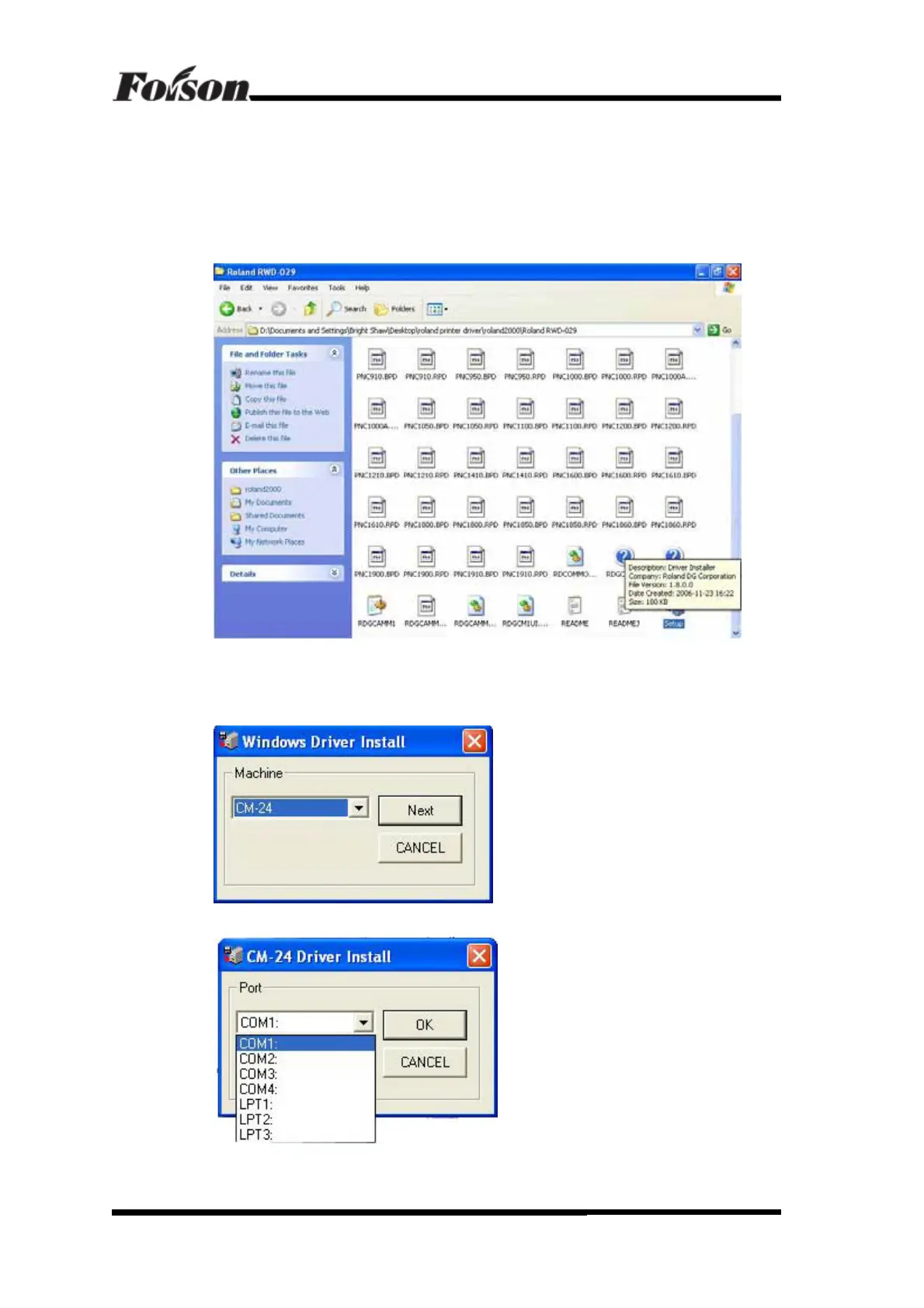
1) Open the installing directory, shown as following:
Find the SETUP and click to install, shown as following:
Select machine model CM-24, then click Next, shown as following:
Communication port selection. If the cutter connects to COM1of the PC, select COM1.
CorelDraw Software Output



 To Next Page