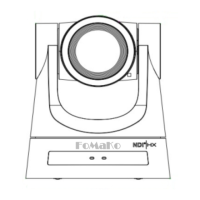
Connect Camera to Controller Keyboard
Some information you need:
User Name: admin Password: admin
Sony Visca port: 52381 IP Visca UDP port: 1259
IP Visca TCP port: 5678 Onvif Port: 2000
We recommend to use Sony Visca or IP Visca control protocols, the two protocols are more steady and
work better.
Let’s use FoMaKo KC-608 IP controller for example:
(1) Connection: Camera and the IP controller must be in the same LAN (connect to the same
router/switch by network cable)
(2) Enable controller’s DHCP, then reboot the controller
Then, router will assign an IP address for the controller
(3) press “Setup” - >Add: Sony Visca (or IP Visca) - > input your camera’s IP - > input port:52381 (IP Visca
UDP:1259) - > input camera control ID(1-255 numbers)
(4) If you have more than one cameras need to add to the controller, please press “IP” button to add the
camera’s IP address to controller one by one.
How to output 4K video
Camera’s video resolution:
SDI output: max 1080P@60fps
HDMI output: max 4K(3840x2160)@60fps
IP(NDI)Output: max 4K(3840x2160)@60fps
USB Output: 4K(3840x2160)@30fps
So, if you want to output 4K video, please use HDMI, IP, NDI or USB video out,
SDI video out max support 1080P.
Important:
- HDMI and IP(NDI) output max support 4K@25/30fps at the same time;
- If HDMI output set to 4K@50/60fps, then, IP(NDI) max support 1080P@60fps;
- If IP(NDI) output set to 4K@50/60fps, then, HDMI max support 1080P@60fps.


 To Next Page