Need help?
Do you have a question about the FoMaKo K820N and is the answer not in the manual?
Defines Class A ITE limits and warnings for radio interference.
Confirms compliance with EU Electromagnetic Compatibility Directive 2014/30/EU.
Details network connection steps for cameras, requiring a router for IP assignment.
Instructions for accessing the camera via a web browser using its IP address.
Guide for streaming camera feed to Vmix or OBS, recommending VLC for lower latency.
Explains video output resolutions and capabilities for HDMI, SDI, IP(NDI), and USB interfaces.
Steps for AI tracking with one target, including starting and target loss handling.
Steps for AI tracking with multiple targets, including target selection and switching.
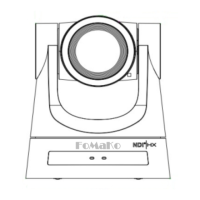
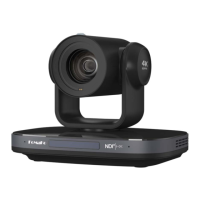
Highlights key features like AI Tracking, NDI|HX2, 4K UHD, 20x Zoom, and multiple interfaces.
Details technical specifications for camera, sensor, lens, and interface compatibility.
Navigation guide for accessing and using the camera's main menu.
Settings for controlling image exposure parameters like gain, shutter, and iris.
Settings for adjusting color balance, saturation, hue, and white balance modes.
Adjusts the overall brightness of the camera's image.
Controls the intensity of colors in the camera's image.
Adjusts the difference between light and dark areas in the camera's image.
Enhances or softens the detail and clarity in the camera's image.
Instructions on how to access and log into the camera's web interface using its IP address.
Overview of camera control functions available through the web interface, including video viewing.
Manual control of camera pan and tilt movements using arrow keys.
Controls for adjusting the camera's zoom level for wide or narrow view.
Manual focus adjustment for the camera lens to ensure clear imaging.
Configuration of pan, tilt, and zoom speed settings for precise camera movements.
Saving and recalling specific camera positions for quick access.
Accessing PTZ and On-Screen Display menus from the IP interface.
Options to change the user interface language of the camera's web portal.
Enables or disables the audio input and output functionality.
Selects the audio encoding type (e.g., AAC).
Sets the audio sample rate (e.g., 44.1K, 48K).
Configures the audio bit rate (e.g., 96K, 128K).
Selects the audio input source (e.g., LINE IN or MIC).
Adjusts the volume level of the selected audio input.
Configures ADTS header options for audio streams.
Initiates a system restart for the camera.
Allows modification of user login credentials for accessing the camera.
Configures IP address, subnet mask, gateway, and MAC address for network connection.
Defines ports for HTTP, RTSP, TCP, UDP, and Sony Visca control protocols.
Configures RTMP streaming for video and audio to platforms like YouTube or Facebook.
Configures Secure Reliable Transport protocol settings, including port and encryption.
Manages RTSP authentication settings for streaming.
Configures ONVIF protocol and authentication for interoperability.
Manages multicast address and port for efficient group streaming.
Configures NTP time synchronization and server settings for accurate timekeeping.
Troubleshooting steps for problems like no image, jittery video, or no video in browser.
Troubleshooting steps for remote control, serial port control, and IP access problems.
 General
| Night Vision | Yes |
|---|---|
| Two-way Audio | Yes |
| Motion Detection | Yes |
| Lens | 3.6mm |
| Viewing Angle | 110° |
| Weather Resistance | IP66 |
| Power Supply | DC 5V/1A |
| Audio | Built-in microphone and speaker |
| Connectivity | Wi-Fi |
| Storage | MicroSD card (up to 128GB) |
| Operating Temperature | -20°C to 50°C |

 To Next Page