FoMaKo
Focus Your Streaming www.fomako.net
9
Tally Mode: On, Off.
USB2.0 Audio: On, Off (Only for USB2.0).
5.8 COMMUNICATION SETUP
Move the main menu cursor to
[Communication Setup], and press [HOME]
key enter the communication setup page,
as shown in the following figure.
COMMUNICATION SETUP
Protocol
ISCA
_Address 1
_AddrFix Of
Net Mode Serial
Baudrate 9600
Select Item
Change Value
[Menu] Back
Protocol: Auto, VISCA, PELCO-D, PELCO-P.
V_Address: 1 ~ 7 (Effective only in Auto,
VISCA protocol).
V_AddrFix: On, Off (When set to On, useless in 88
30 01 FF Command).
P_D_Address: 0 ~ 254 (Effective only in Auto,
PELCO-D protocol).
P_P_Address: 0 ~ 31 (Effective only in Auto,
PELCO-P protocol).
Net Mode: Serial, Paral.
Baudrate: 2400, 4800, 9600, 38400.
5.9 RESTORE DEFAULT
Move the main menu cursor to [Restore
Default], press [HOME] key enter restore
default page, as shown in the following figure.
RESTORE DEFAULT
Restore? No
Change Value
[Home] OK
[Menu] Back
Restore: Yes, No.
GUI menu and parameters are subject
to change without notice.
6 WEB Settings
6.1 Access Camera
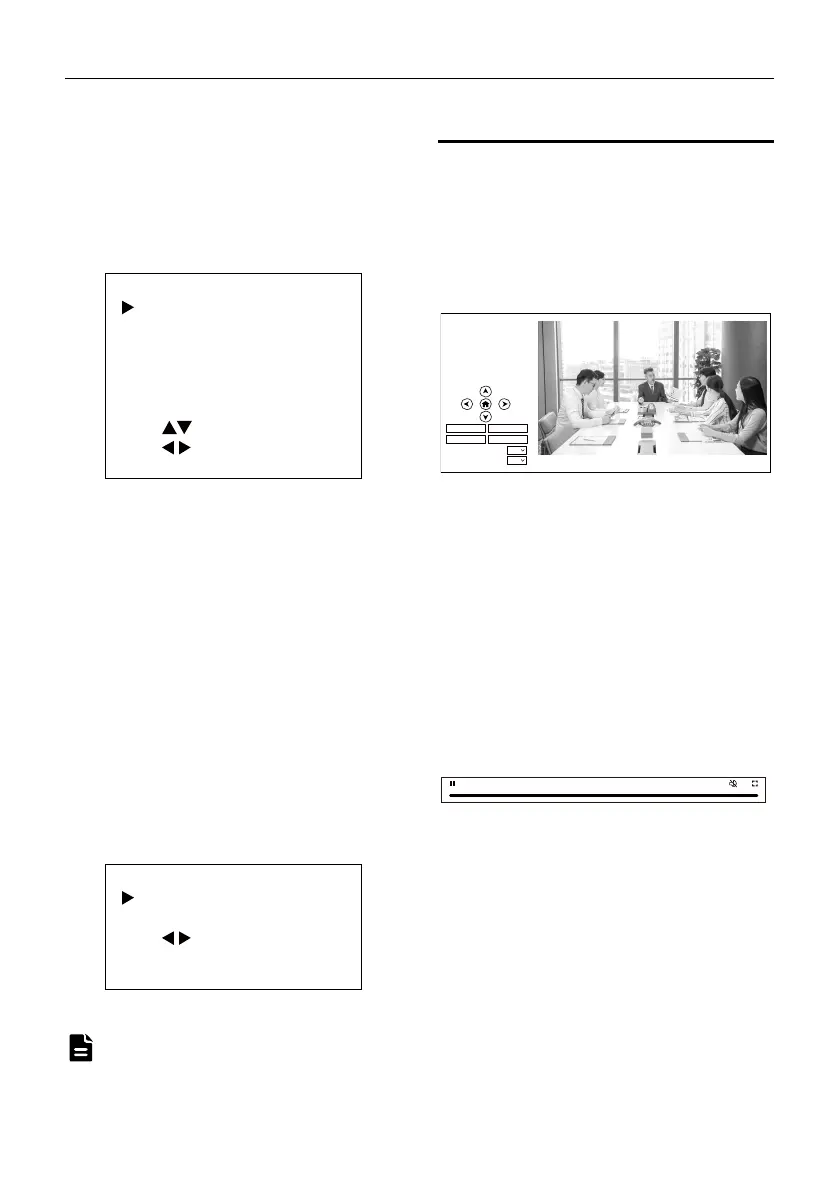
Access camera’s IP address (for example:
http://192.168.100.88) to pop up the login
window, then input username (default: admin)
and password (default: admin). After login, it will
show as below:
6.2 Control Camera
All pages include two menu bars:
Real time monitoring: displaying video image
Parameter setup: with function buttons.
A. Video Viewing Window
Video viewing window must be same as video
resolution, the bigger the resolution is, the bigger
the playing area is. Double click viewing window,
will show full-screen, double click again, will
return to initialized size.
Status bar in viewing window shown as below:
1) Video playback pause button: control
real-time video pause, stop the last picture,
click recoverable video again.
2) Audio control buttons: can adjust the volume
or set silent mode.
3) Full screen switch button.
No
e
Video
Image
Audio
System
Network
Information
Zoom In Zo om Out
Focus In Focus Out
10
10
Pan Spee d
Tilt Sp eed
Live
4:48



 To Next Page