14
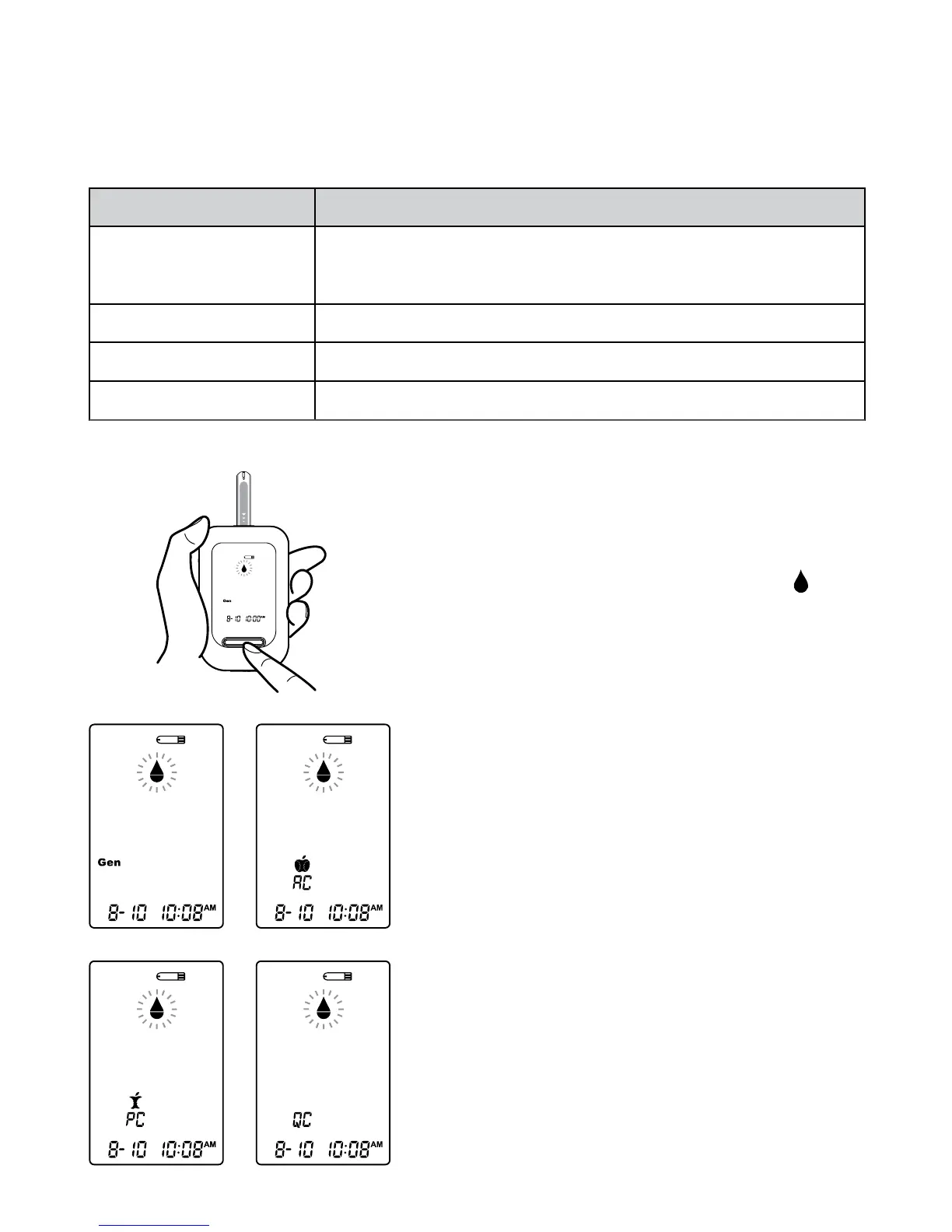
You can switch between each mode by:
1. Start with the meter switched off.
Insert a test strip to turn on the meter.
The screen will display a flashing “
”
and “Gen”.
THE FOUR MEASURING MODES
The meter provides you with four modes for measuring, General, AC, PC
and QC.
MODES
General
(displays as “Gen”)
AC
PC
QC
USE WHEN
any time of day without regard to time since last
meal
no food intake for at least 8 hours
2 hours after a meal
testing with the control solution
2. Press Main button to switch between
General, AC, PC and QC mode.



 To Next Page