32
NOTE
• Replacing the batteries does not affect the test results stored in the
memory.
• As with all small batteries, these batteries should be kept away from small
children. If swallowed, promptly seek medical assistance.
• Batteries might leak chemicals if unused for a long time. Remove the bat-
teries if you are not going to use the device for an extended period (i.e., 3
months or more).
• Properly disp
ose of the batteries according to your local environmental
regulations.
• After replacing the batteries, the meter will enter the setting mode.
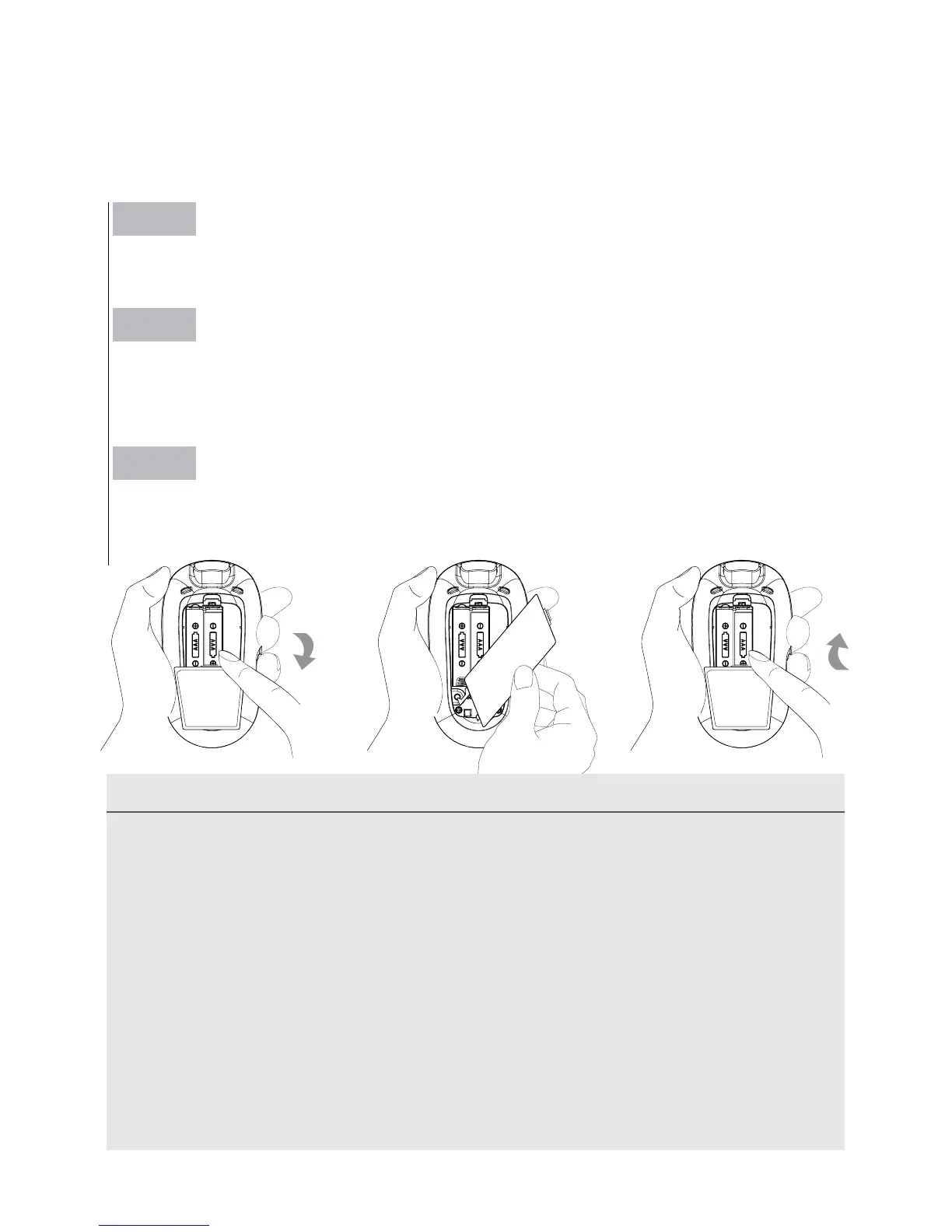
► Replacing the Battery
To replace the battery, make sure that the meter is turned off.
Step 1
Press the edge of the battery cover and lift it up to remove.
Step 2
Remove the old batteries and replace with two 1.5V AAA alkaline bat-
teries.
Step 3
Close the battery cover. If the batteries are inserted correctly, you will
hear a "beep" afterwards.



 To Next Page