DUALEX SCIENTIFIC+
TM
FORCE-A User’s manual v.3.1
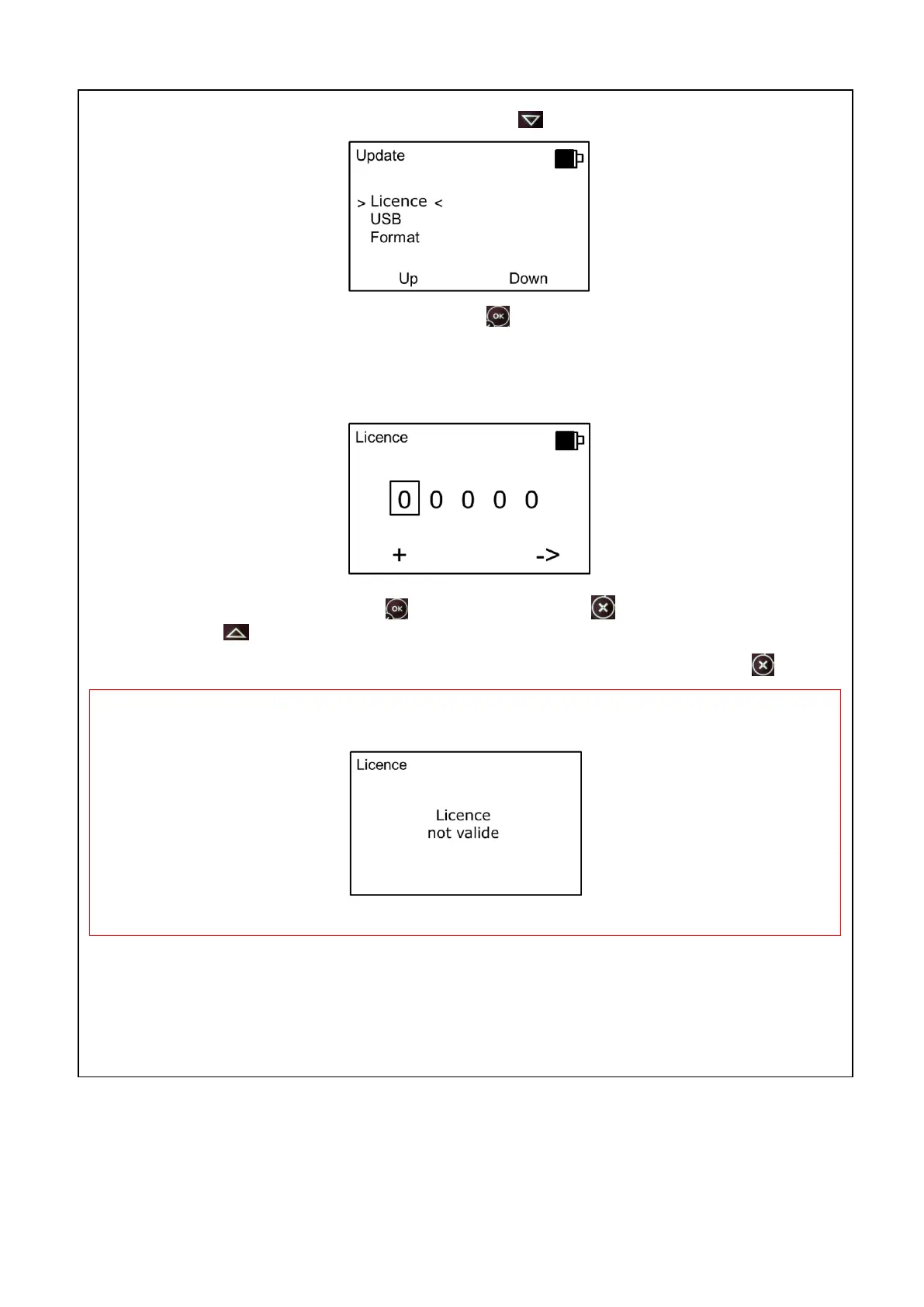
Note: if your update requires a license, press the button to select « Menu ».
Select the sub-menu >license< and press the button .
The license allows to change the rights (addition or deletion of application).
This screen allows entering the licence key. To change the number, press on the button “+” and to
change the digit, press on the button “
_
>”.
Once the number is entered, press on . Press twice the button to return at the update menu.
Press the button (launching) to start the updating program.
Note: The cancellation is possible at anytime without saving, by pressing on the button .
WARNING: If the 5 figures are not correct, the following screen appears:
The licence keys are unique: they are specific to the device.



 To Next Page