DUALEX SCIENTIFIC+
TM
FORCE-A User’s manual v.3.1
► Anth: index of phenolics, anthocyanins content.
The range of this index is 0-3. If the measured value is outside these limits, the displayed value on
the screen is: ***. This state is recorded in the memory of the device under the tag “NaN”. If the
measurement is inconsistent, the displayed tag is:
___
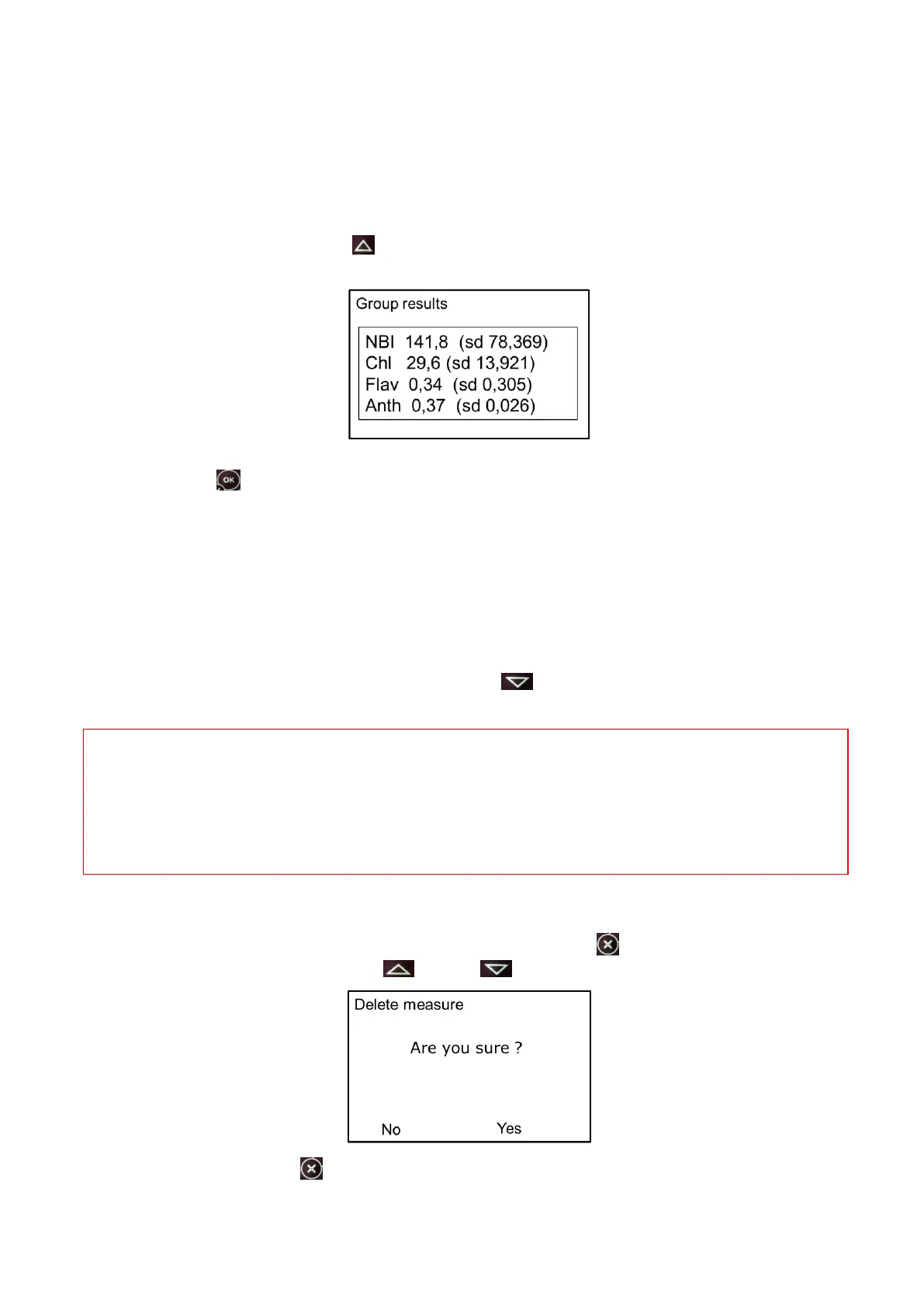
► grp: indicates the group rank. The measurements can be grouped into a set of measurements
statistically connected. Press on (group+) to increment the number of group. The statistical
results of the latest group are then displayed.
If the data are not valid, the statistical results appear under the tag ***. To return to the measure
menu, press on .
► mes: corresponds to the rank number of the measurement performed in the group. This value
increases automatically with every measurement.
► sup / inf: the side of the leaf, adaxial or abaxial, and its associated epidermis – that is
positioned against the light source head (upper head) – will be measured. To measure the opposite
side of the leaf, you may flip over the leaf or invert the position of the Dualex heads.
You can add the leaf side tag which will be associated to the next measurement: adaxial (sup) or
abaxial (inf). To change this tag, just press on . This information is stored with the
measurement.
Warning: there is no limitation to the measurements rank in a group. The capacity of the internal
flash memory (1.8Mo) allows more than 10 000 measurements. Nevertheless, it’s recommended to
transfer the data by the command >USB< onto a computer after every campaign of measurements.
After the transfer of the data file, you can erase it from the flash memory using your computer.
II.4.c. How to delete a measurement
The last made measurement can be deleted by pressing the button (short press), the screen asks
for confirmation. Press on the button (No) or (Yes):
A long press on the button leads to the main menu and saves the measurement.


 To Next Page