DUALEX SCIENTIFIC+
TM
FORCE-A User’s manual v.3.1
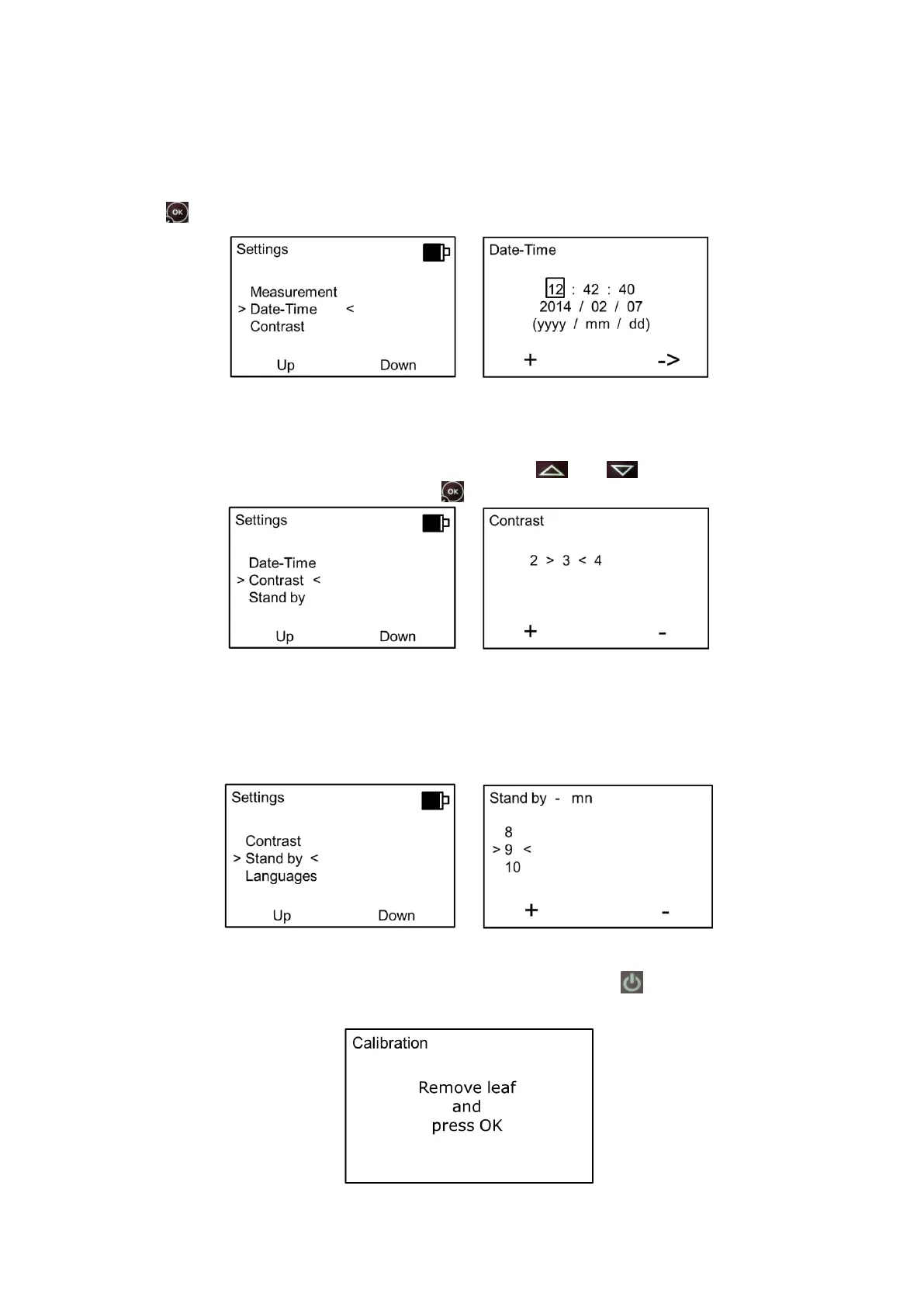
II.6.d. Date & Time
This setting allows adjusting the date and the time. To change the number, press on the button “+”
and to change the next field, press on the button “
_
>”, once the date and the time are adjusted,
press on to save it.
II.6.e. Contrast
You can adjust the contrast of the screen with the buttons and . After having adjusted the
contrast, return to the main menu by pressing .
II.6.f. Standby
The time before DUALEX SCIENTIFIC+™ enters the standby mode can be chosen. It can be
adjust between 1 and 10 minutes; the default setting is 5 minutes.
When the DUALEX SCIENTIFIC+™ enters the standby mode, all measurements and settings are
saved. When you restart the device by a long press on the button , to measure, a new self-
calibration is needed.:



 To Next Page