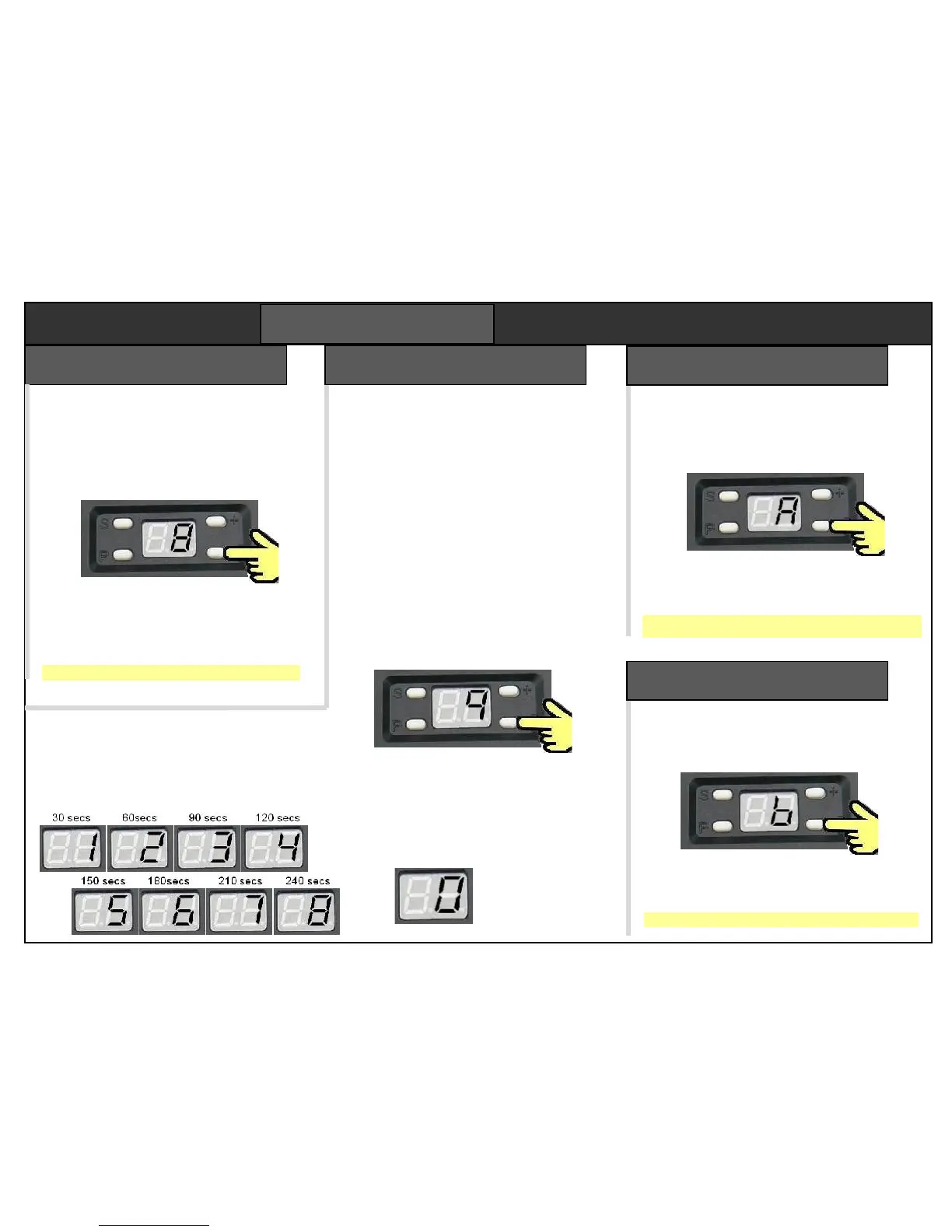
When two openers work on one remote, step
A enables both lamps can come on when
either door is opened. Default setting is off.
Select step “A” with + & – , then press “P”
The display shows a “0” for one lamp, or “1”
for both. Use the + and – buttons to select.
Press “P” to save the new setting.
By default the door opens on channel 2.
For double garages, it is normal to set the
second opener to channel 1. There are 4
channel options. To change channel, use
+ and – to select step “8” then press “P”
The display shows a flashing channel
number (from 1 to 4). Use the + and –
buttons to select a channel number.
Press “P” to save the new channel.
Zero means the 1 for 30 secs
auto-close is off. 2 for 60 secs
3 for 90 secs
4 for 120 secs
5 for 150 secs
6 for 180 secs
7 for 210 secs
8 for 240 secs
The opener can be programmed to close
after a time delay. There are nine delays
from 30 secs to 240 secs. Setting zero
disables the autoclose function.
The opener beeps and the light flashes
for 20 seconds before the door starts to
close. Opener beeps while it is closing.
When setting autoclose, you need to be
confident a car can pull in clear of the
door every time. We recommend fitting
the optional photobeam which prevents
the door closing until doorway is clear.
Select step “7” - press “P”. Displays
autoclose setting character 0 to 9.
Use + and – keys to select a delay as
required, then press “P” to save.
Sets a service alarm to sound after 2000
cycles. Reset on power down. The default
setting is off. Select step “b” then press “P”
The display shows a “0” for disabled, or “1”
for enabled. Use + and – buttons to select.
Press “P” to save the new setting.


 To Next Page