Forma Scientific, Inc.________________________________________________Installation
2-4
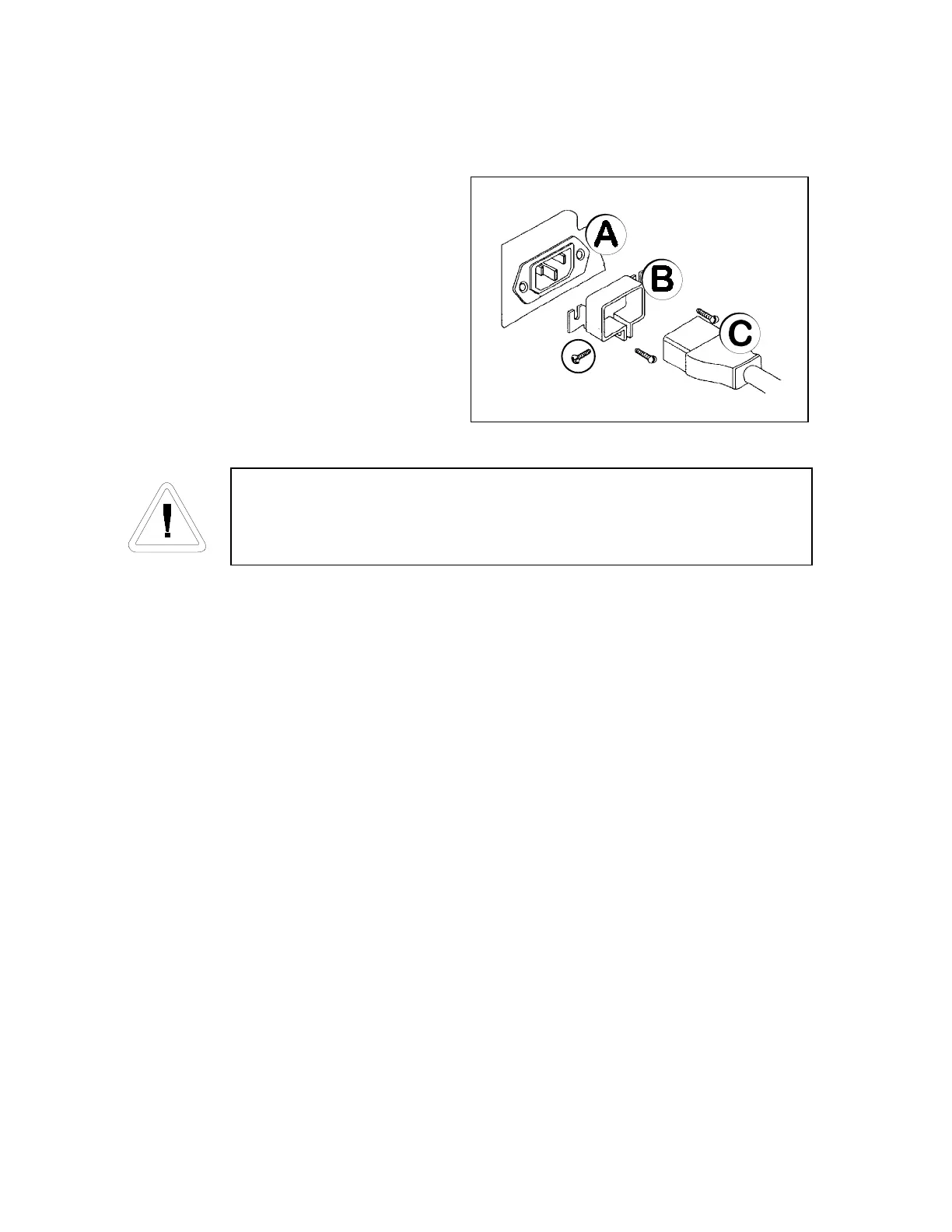
2.6 Attaching the Power Cord
Plug the cord set (item C in the
illustration at the right) into the back of the
unit below the power switch. Secure it with
the screw provided and identified by the
circle. The line cord retainer (B) is secured
to receptacle (A) by the factory with the
two screws shown.
2.7 Connecting Power to the Freezer
Forma Scientific, Inc. recommends that the freezer be operated on a
dedicated electrical circuit to avoid circuit overload .
Before connecting the freezer to an adequate power source, refer to the
electrical data plate mounted on the back of the unit, the schematics located in Section 11, or
to the electrical specifications listed in Section 8.
2.8 Deactivating the Enviro-Scan Monitor for Storage
The Enviro-Scan Monitor has been deactivated (placed in a sleep mode) prior to
shipment. The monitor re-activates when power is applied to the freezer. If electrical power
is lost or the freezer is disconnected, the monitor will be sustained by the battery back-up.
Whenever the freezer is unplugged for storage, the "Enviro-Scan" must be de-activated
to preserve the life of the battery and preserve the warranty.
• Turn off or unplug the freezer.
• Obtain the access code prompt by pressing the UP ARROW key and the BATTERY
% CHARGE key simultaneously. A "1" must appear in the display window. If a "1"
does not appear in the window, repeat step 2.
• Enter the four digit access code. The Access Code set at the factory = 1,2,3,4. For
Access Code information, refer to Section 3.2 and Section 4.1. To change the
Access Code refer to Section 5.3.



 To Next Page