LOADING FILAMENT
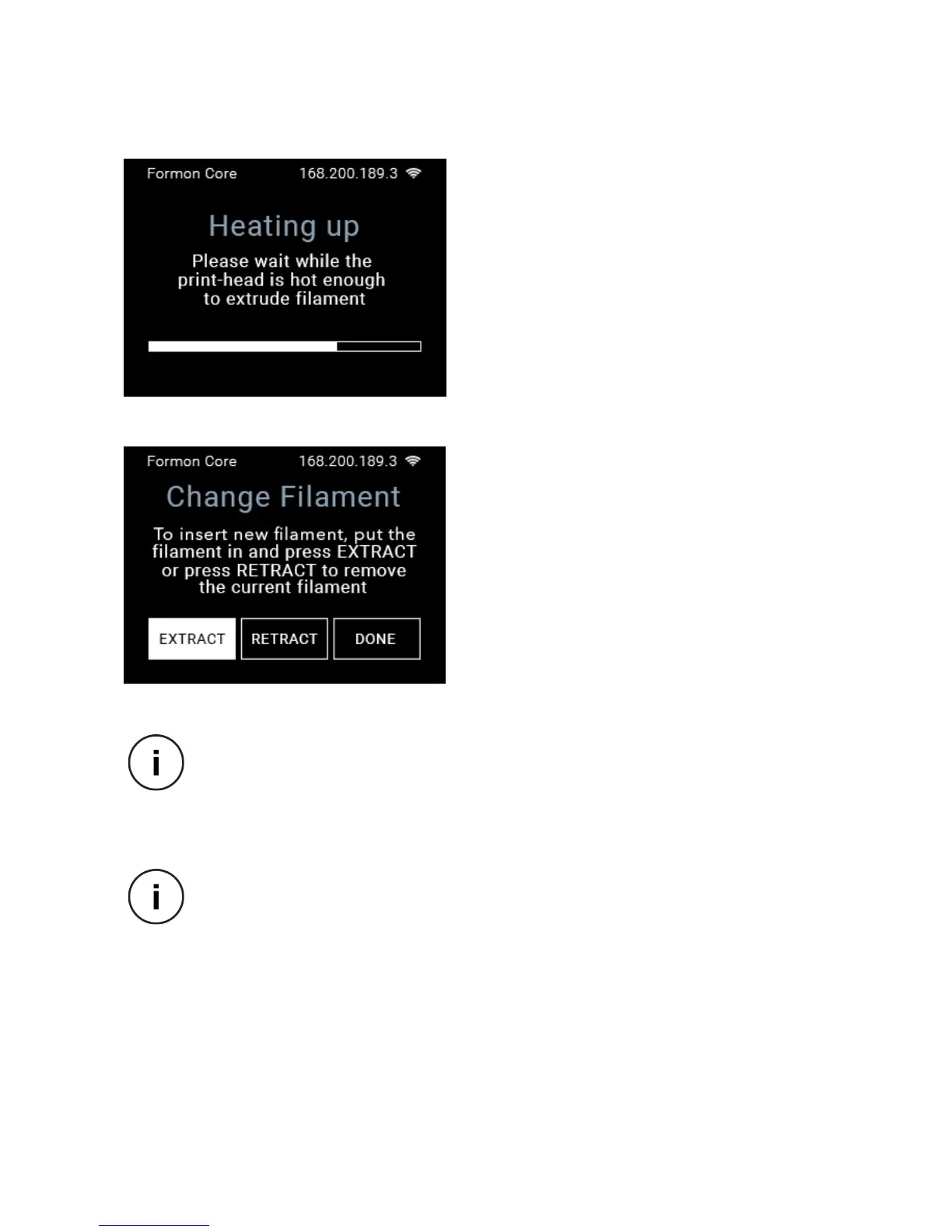
4. Pressing the FILAMENT button will
redirect you to the Heating up screen and
you will have to wait until the print-head
from the print nozzle.
5. After the print-head is heated up, you
pressing and holding the EXTRACT button,
the print head.
and starts coming out of the print-head
out of the print-head nozzle, press DONE.
While you press and hold the EXTRACT button, you can touch the PLA lament
that is inserted in the lament hole on top of Formon Core, and check that the
extruding motor is pulling it in. If the lament is not being pulled in, you can
push it by your ngers until the motor drive gear starts pulling it.
If you want to remove the PLA lament, you will repeat step 3 and wait for the
print-head to heat up. When the Change Filament screen pops up, press and
hold the RETRACT button, which will push the PLA lament out of the print
head so you can remove or change the lament spool.
SETTING UP | 17



 To Next Page