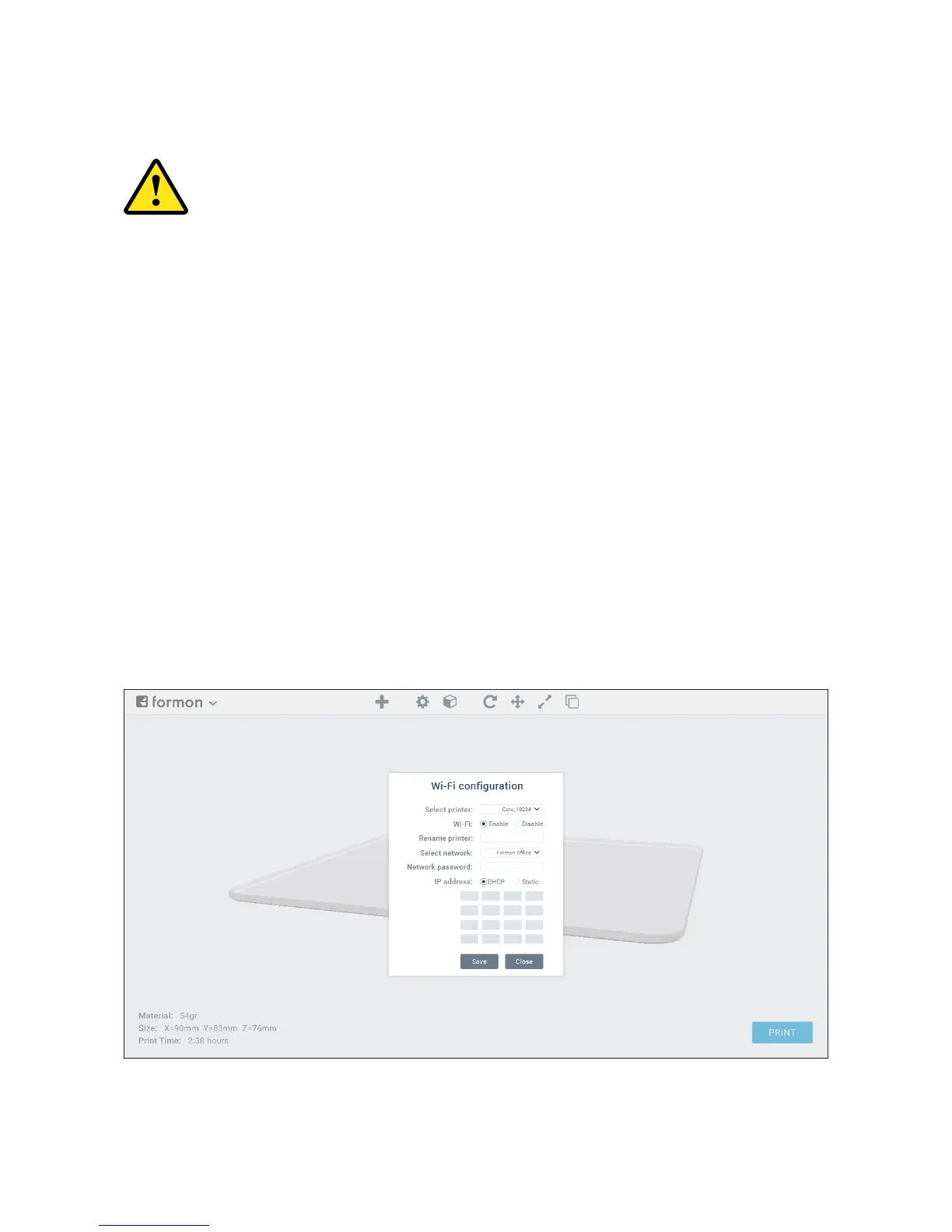
WI-FI CONFIGURATION
1. Open Formon Scope.
2. Click on the arrow next to the logo on the top-left corner of the software. Select
Wi-Fi Conguration from the drop-down menu and a pop-up window will appear
3. The printer’s name will appear on the top-left corner of your printer’s display.
Choose that name from the SELECT PRINTER drop down menu in Formon Scope. To
change the name of your printer, write your preferred name on the input box
RENAME PRINTER.
4. Click on the ENABLE
5. Choose your network’s name from SELECT NETWORK drop-down list.
NETWORK PASSWORD
DHCP
write network details.
SAVE button and then click CLOSE.
If you want to congure Wi-Fi in your printer, your computer must be
connected to a Wi-Fi network.
SETTING UP | 19



 To Next Page