EasyManua.ls Logo

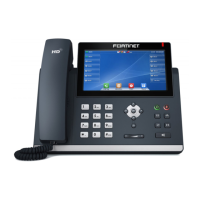
Fortinet FortiFone FON-C71 - User Manual

Fortinet FortiFone FON-C71
41 pages
Print Icon
To Next Page IconTo Next Page
Loading...
FortiFone™ User Guide
for FON-C71

Table of Contents

Questions and Answers

  • C
    Cindy BurkeAug 9, 2025
    How to fix blank display on Fortinet FortiFone FON-C71?
    • D
      davidfranklinAug 9, 2025
      If the display of your Fortinet Telephone is blank, confirm the phone’s power source. If you're using the power adapter, ensure it's plugged in; if it still doesn’t work, replace the adapter. If you're using Power over Ethernet (PoE), ensure your Ethernet cable is plugged into the INTERNET port on the back of your phone and that the PoE switch is properly configured. If it still doesn’t work, replace the Ethernet cable.
  • C
    cduncanAug 22, 2025
    What to do if Fortinet Telephone displays “Obtaining IP Address” for more than 2 minutes?
    • M
      mwellsAug 22, 2025
      If your Fortinet Telephone displays “Obtaining IP Address” for more than 2 minutes, the DHCP server might not be responding. First, ensure your DHCP server (typically your router) is online. If it is, reboot the router or DHCP server. If the issue persists, the phone may require advanced network configuration, so contact your administrator.

Fortinet FortiFone FON-C71 Specifications

General IconGeneral
ModelFortiFone FON-C71
TypeIP Phone
Resolution480 x 272 pixels
Ethernet Ports2x 10/100/1000 Mbps
Power over Ethernet (PoE)Yes
BluetoothYes
Wi-FiNo
USB Ports1x USB 2.0
SIP Accounts6
Programmable Keys12
Humidity10% to 90% non-condensing
Headset PortYes
Supported CodecsG.711, G.722, G.729
Supported ProtocolsSIP
Operating Temperature0°C to 40°C
Storage Temperature-10 to 60 °C
Network InterfacesDual 10/100/1000 Mbps Ethernet ports

Related product manuals

Fortinet FortiFone FON-C71 - User Manual