w
w
ww.foscam.co
ww.foscam.co
m
m
Shenzhen
Shenzhen
Foscam
Foscam
Intelligent
Intelligent
Technology
Technology
Co.,
Co.,
Limited
Limited
Tel:
Tel:
86
86
755
755
2674
2674
5668
5668
Fax:
Fax:
86
86
755
755
2674
2674
5168
5168
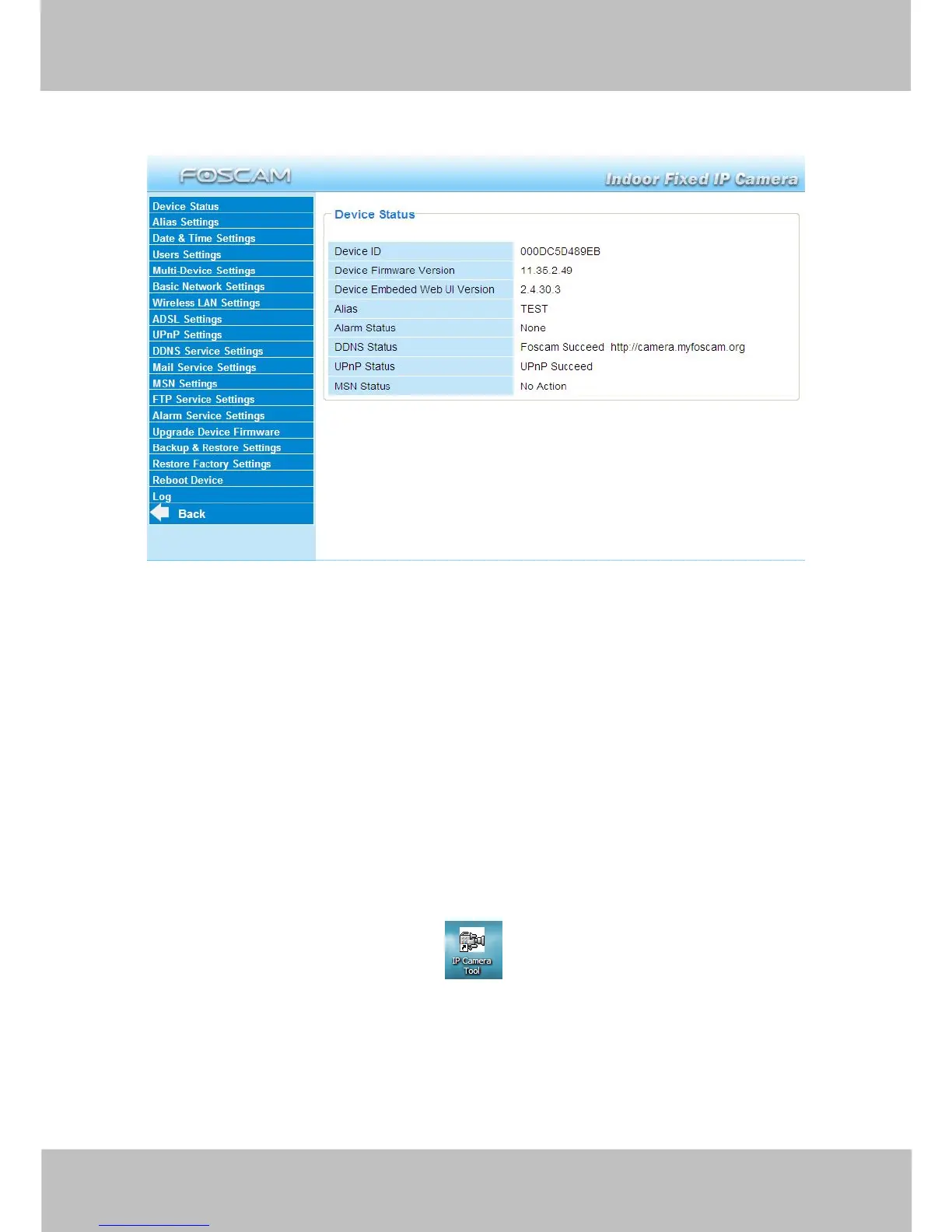
3.1 Device Status
Figure 3.1
1------Device ID MAC ID of the camera by wired connection
2-----Device Firmware Version System Firmware version of the camera
3-----Device Web UI Version Web UI firmware version of the camera
4-----Alias Name of the camera
5-----Alarm Status The status of Alarm Service Setting
6-----DDNS Status The status of DDNS Setting
7-----UPnP Status The status of UPnP Setting
8-----MSN Status The status of MSN Setting
Another Way:
Double click the the icon “IP Camera.exe” , select the camera IP, right click and select
the Basic Properties, you can also see the Firmware Version and MAC Address, such as the
following screen:



 To Next Page