● Providing Central Management Software to manage or monitor multi-cameras
1.2 Read Before Use
Please first verify that all contents received are complete according to the Package Contents
listed below. Before the Network Camera is installed, please carefully read and follow the
instructions in the Quick Installation Guide to avoid damage due to faulty assembly and
installation. This also ensures the product is used properly as intended.
1.3 Packing Contents
● IPCAM×1 ● CD×1
● Wi-Fi Antenna×1 (only available for wireless model) ● Quick Installation Guide×1
● DC Power Supply×1 ● Warranty Card×1
● Mounting bracket×1(option) ● Network Cable×1
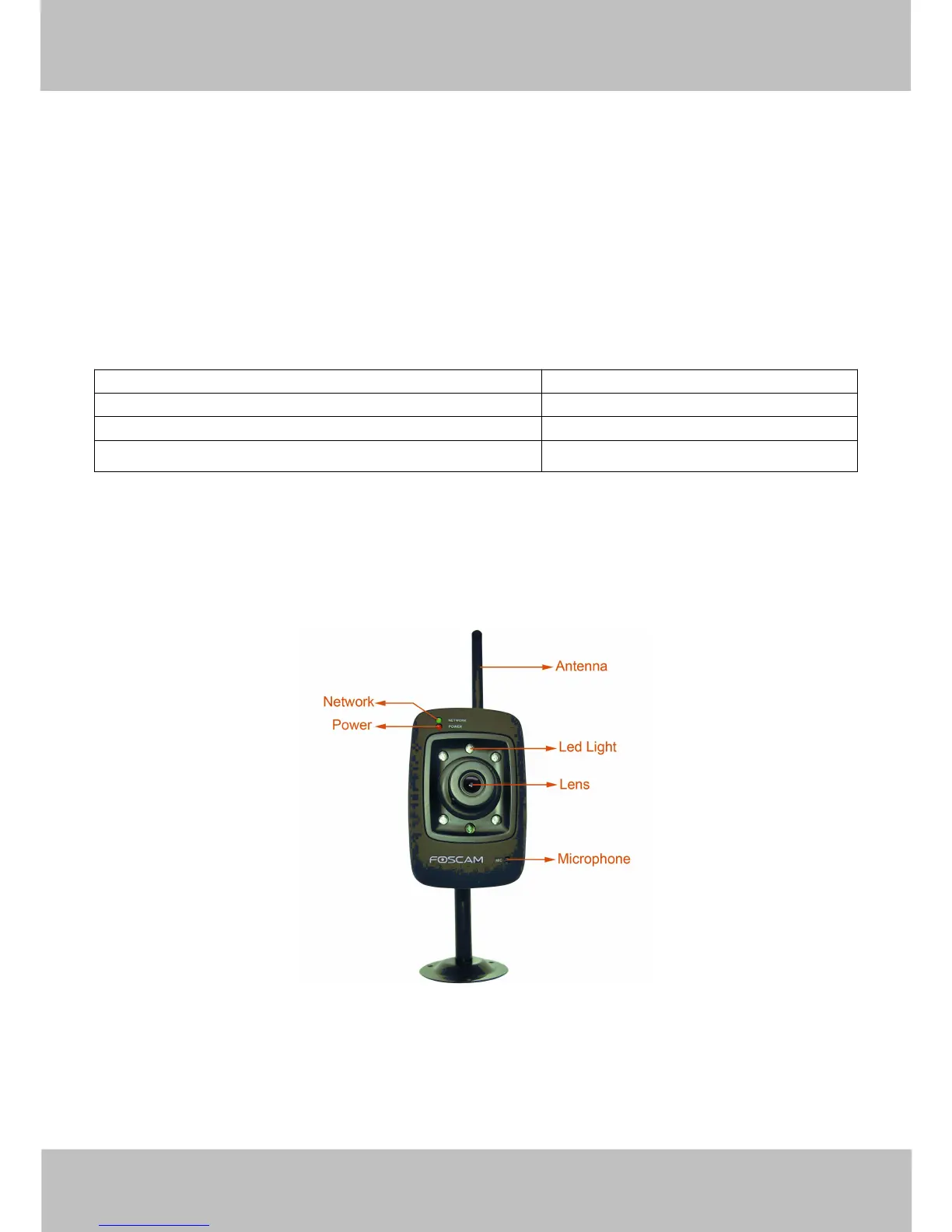
1.4 Physical Description
Front Panel
Figure 1.1
1 Network Light: The LED will blink when plug the power
2 Power Light: If the power adapter works well, the light will turn on



 To Next Page