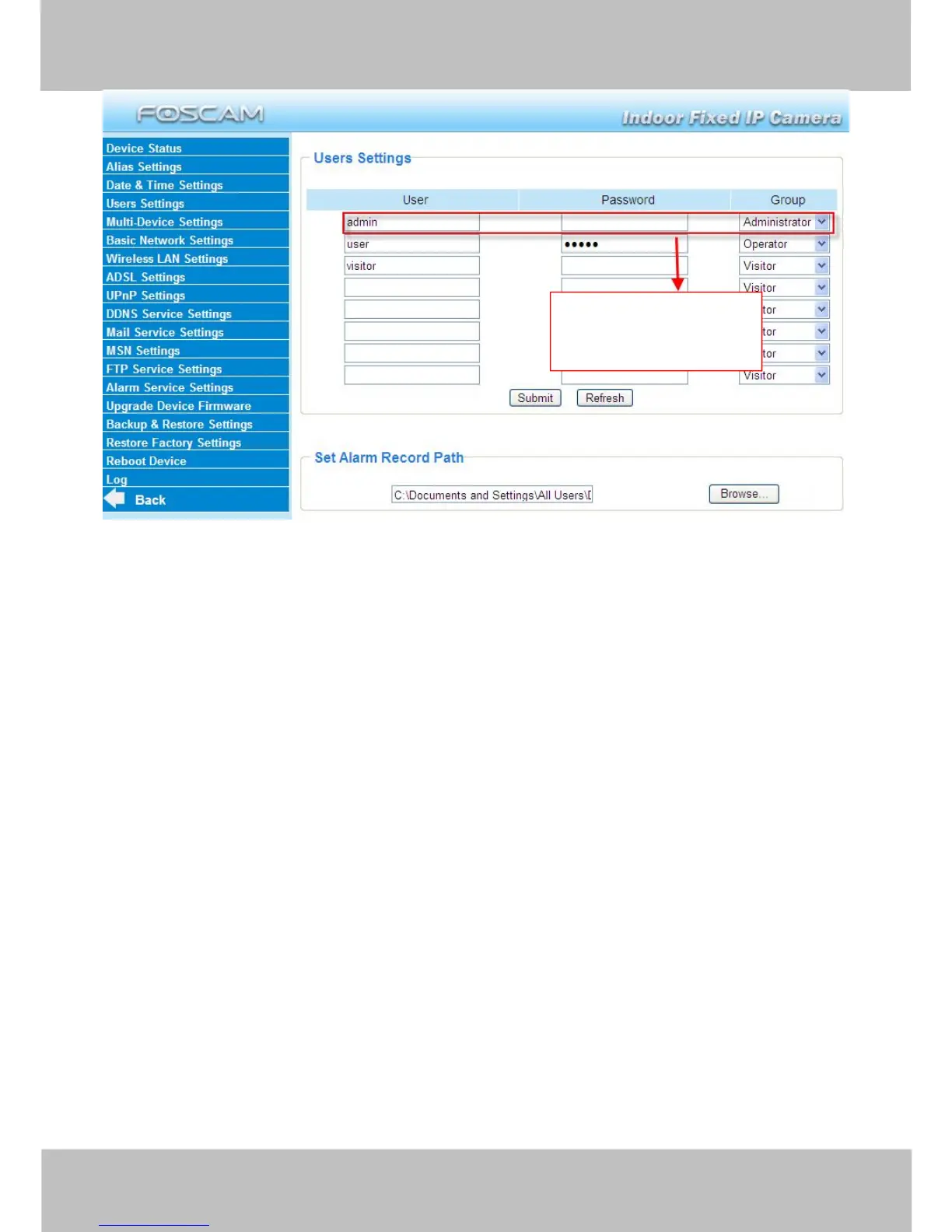
Figure 3.6
Here you can also set one important file locations for the camera, the Alarm Record Path.
Simply click Browse and choose the path to the required folder.
The Alarm Record Path location is used to store automatically recorded files when the camera
is activated by motion or sound. (See set motion/ sound alarm. Figure 3.39) The default path for
Alarm Record Path is C:\Documents and Settings\All Users\Documents.
NOTE: In Windows7 or Vista, if you cannot set the paths.:
Windows7 or Vista's security level is higher than Windows XP/2000.For "set record path"
function, user should add the Device IP address to the Internet Explorer's 'Trusted sites' first. The
step is: IE browserToolInternet ProperSecurityTrusted sitesSitesAdd
3.5 Multi-Device Settings
If you want to view multi-surveillance screens on one window, you need to login one camera, and
set it as the main device, and do Multi-Device Settings, add other cameras to the first one
camera. Before you do multi-cams settings, you need to assign different port such as 81, 82, 83,
84, 85, 86, 87, 88 to the cameras if there is 8 cams installed.
The firmware within the camera can support a maximum of 9 devices monitoring all at the same
time.
3.5.1 Add cameras in LAN
In Multi-Device Settings page, you can see all devices searched in LAN. The 1st Device is the



 To Next Page