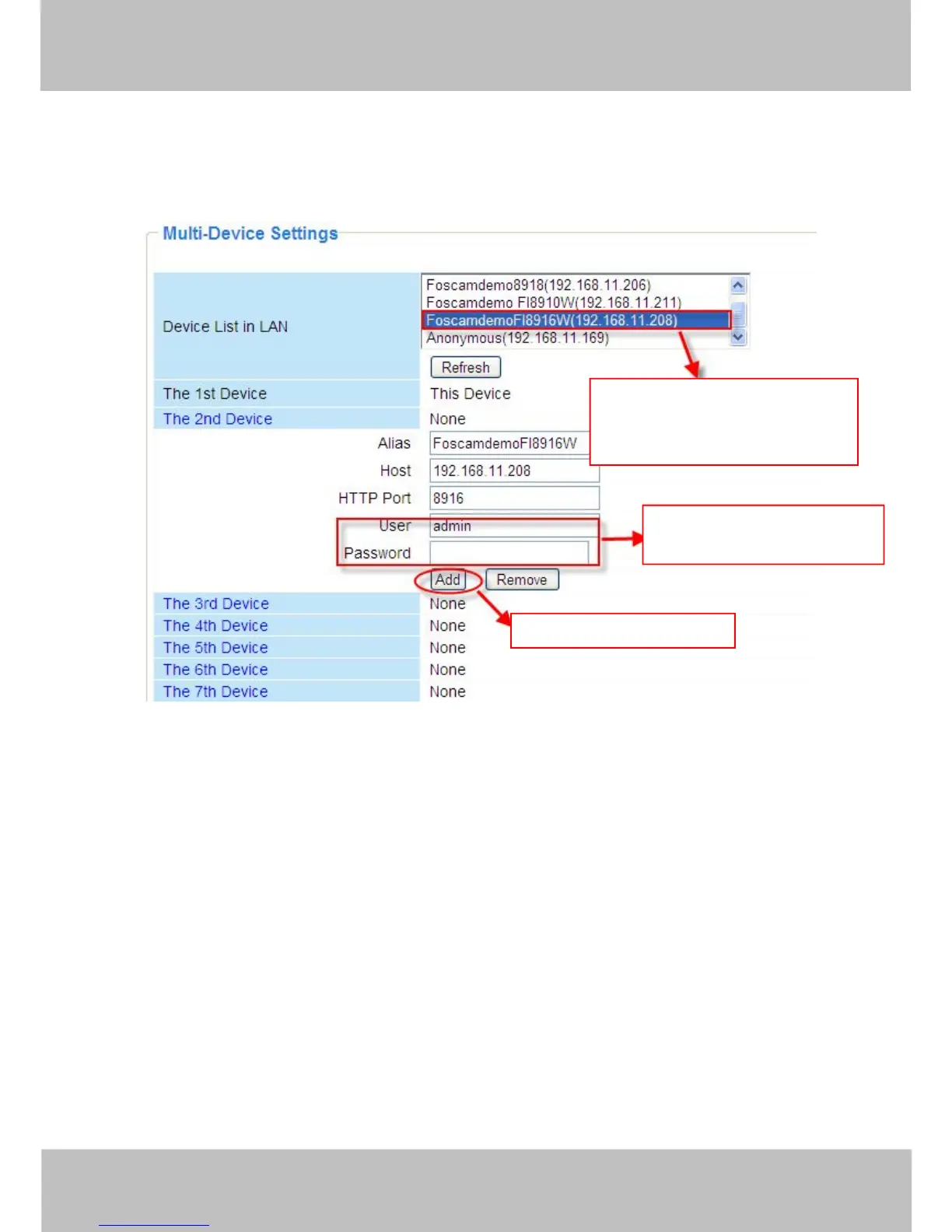
default one. You can add more cameras in the list in LAN for monitoring. The camera’s software
supports up to 9 IP Cameras online simultaneously. Click The 2nd Device and click the item in
the Device List in LAN, the Alias, Host and Http Port will be filled in the boxes below
automatically. Enter the correct username and password then click Add. Add more cameras in
the same way. After all cameras have been added, choose Submit.
Figure 3.7a
1 Click it, alias, host and HTTP
Port will be filled in the following
boxes automatically.



 To Next Page