w
w
ww.foscam.co
ww.foscam.co
m
m
Shenzhen
Shenzhen
Foscam
Foscam
Intelligent
Intelligent
Technology
Technology
Co.,
Co.,
Limited
Limited
Tel:
Tel:
86
86
755
755
2674
2674
5668
5668
Fax:
Fax:
86
86
755
755
2674
2674
5168
5168
③ Use domain name to access the camera via internet
After the port forwarding is finished, you can use the domain name+ http no. to access the
camera via internet. Take hostname ycxgwp.no-ip.info and http no. 88for example, the
accessing link of the camera via internet would be http:// ycxgwp.no-ip.info:88
3.11 Mail Service Settings
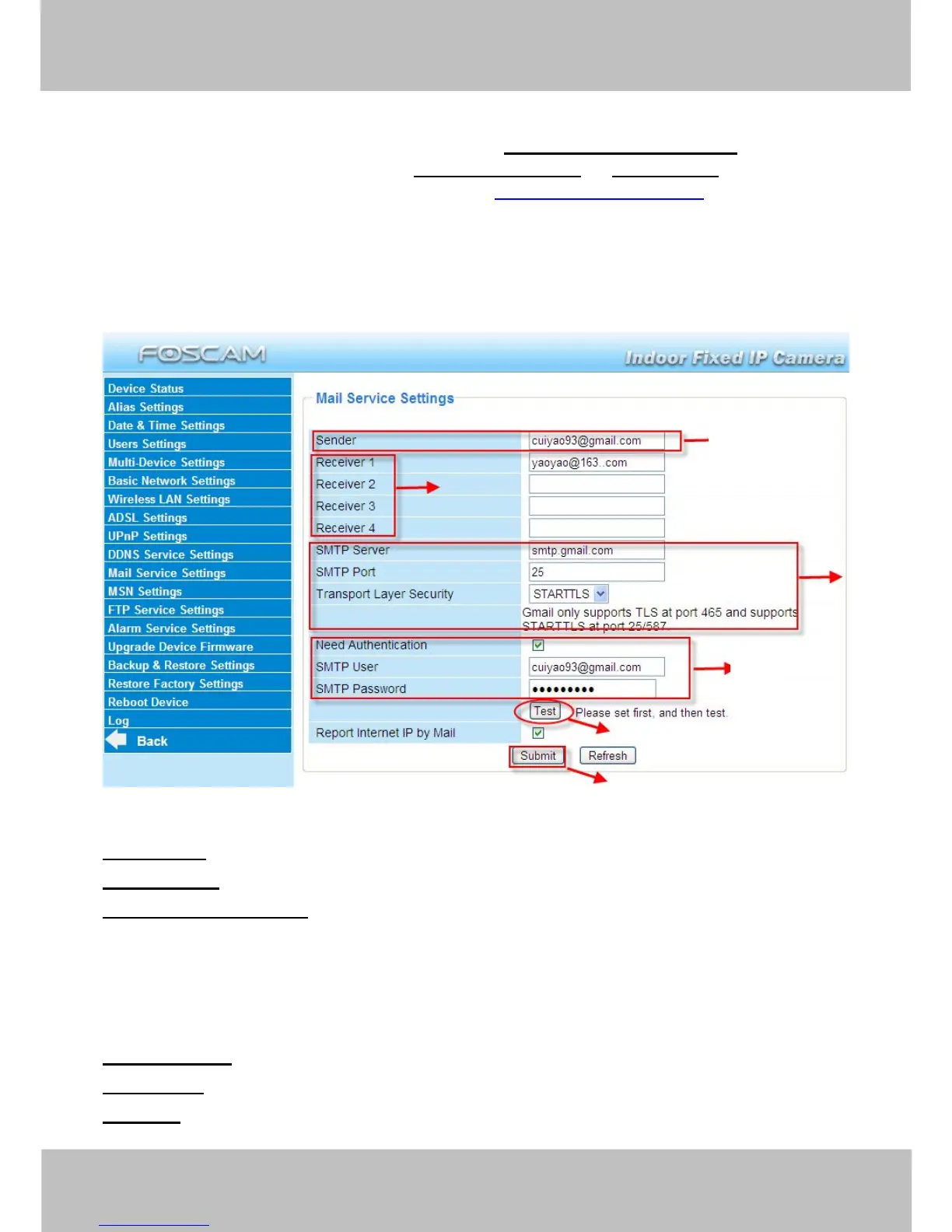
If you want the camera to send emails when motion/sound has been detected, Mail Service
Settings will need to be configured.
Figure 3.31
1----- Sender Mailbox for sender must support SMTP
2----- Receiver Mailbox for receiver need not support SMTP,you can set 4 receivers
3----- SMTP Server/ Port Enter SMTP server for sender. SMTP port is usually set as 25.
Some SMTP servers have their own port, such as 587 or 465 and Transport Layer Security
usually is None. If you use Gmail, Transport Layer Security must be set to TLS or STARTTLS
and SMTP Port must be set to 465 or 25 or 587, which port you choose should be decided by
which Transport Layer Security you select.
4---- SMTP user ID account of the sender email address
5----Submit Click Submit to take effect
6----Test Click Test to see if SMTP has been successfully configured.



 To Next Page