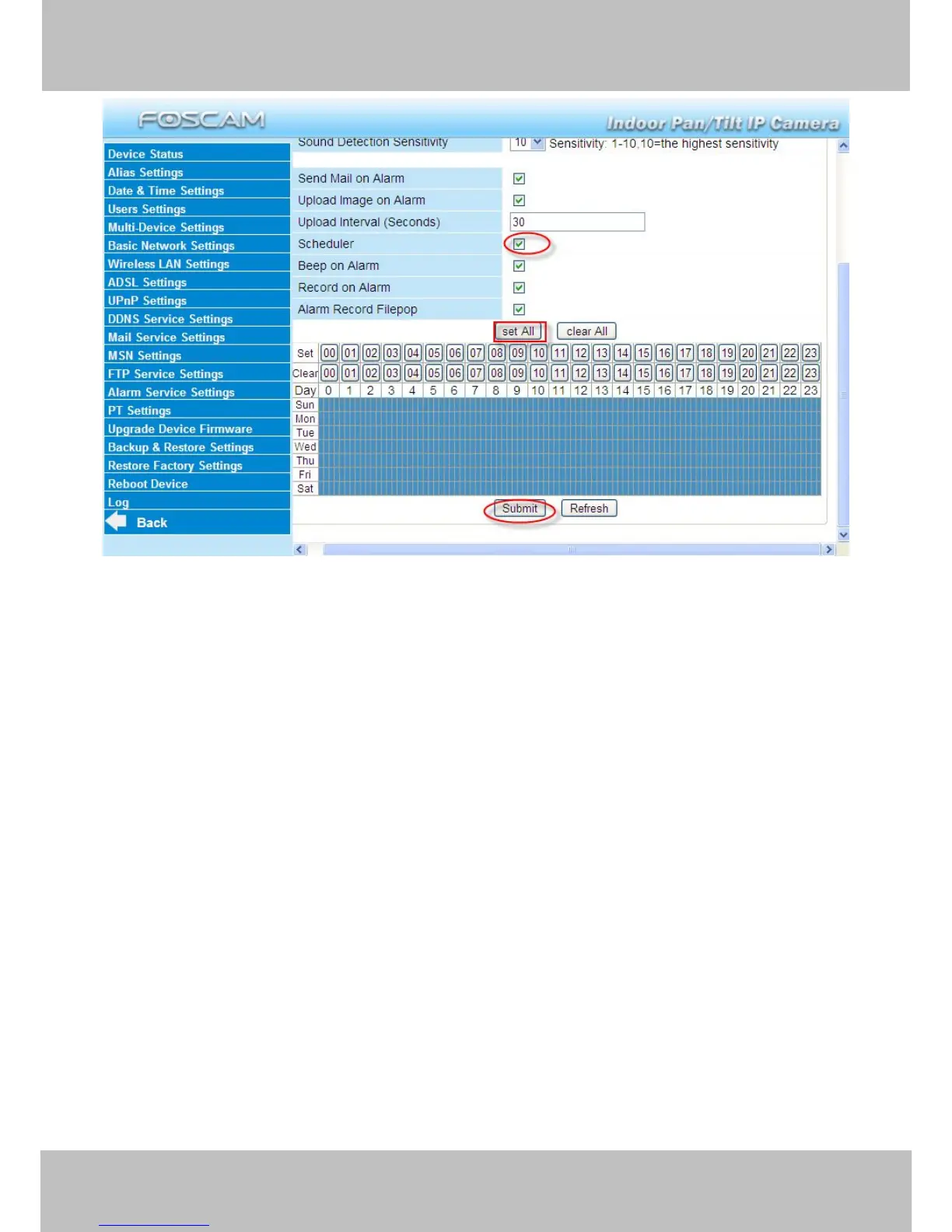
If you want the camera to alarm during set times select Scheduler and set time range.
If you want to select one serial area, you can click any number between 00 and 23 on the first
row, the corresponding column will be selected and it will turn blue. For example, click the
number “06” on the first row, you can see the column turn blue. That means the camera will
alarm when motion/sound is detected between 6 and 7 o’clock every day. Click the number“06”
on the second row, you can cancel the corresponding column you set. And it will turn grey.



 To Next Page