Server Push Mode mode.
Section5 Mobile Phone
If you are using the Mobile to access the camera, here you need to select Mobile Phone login
mode.
Section6 Note
Note that when you login the camera, please select the corresponding login mode.
2.2 Surveillance Window
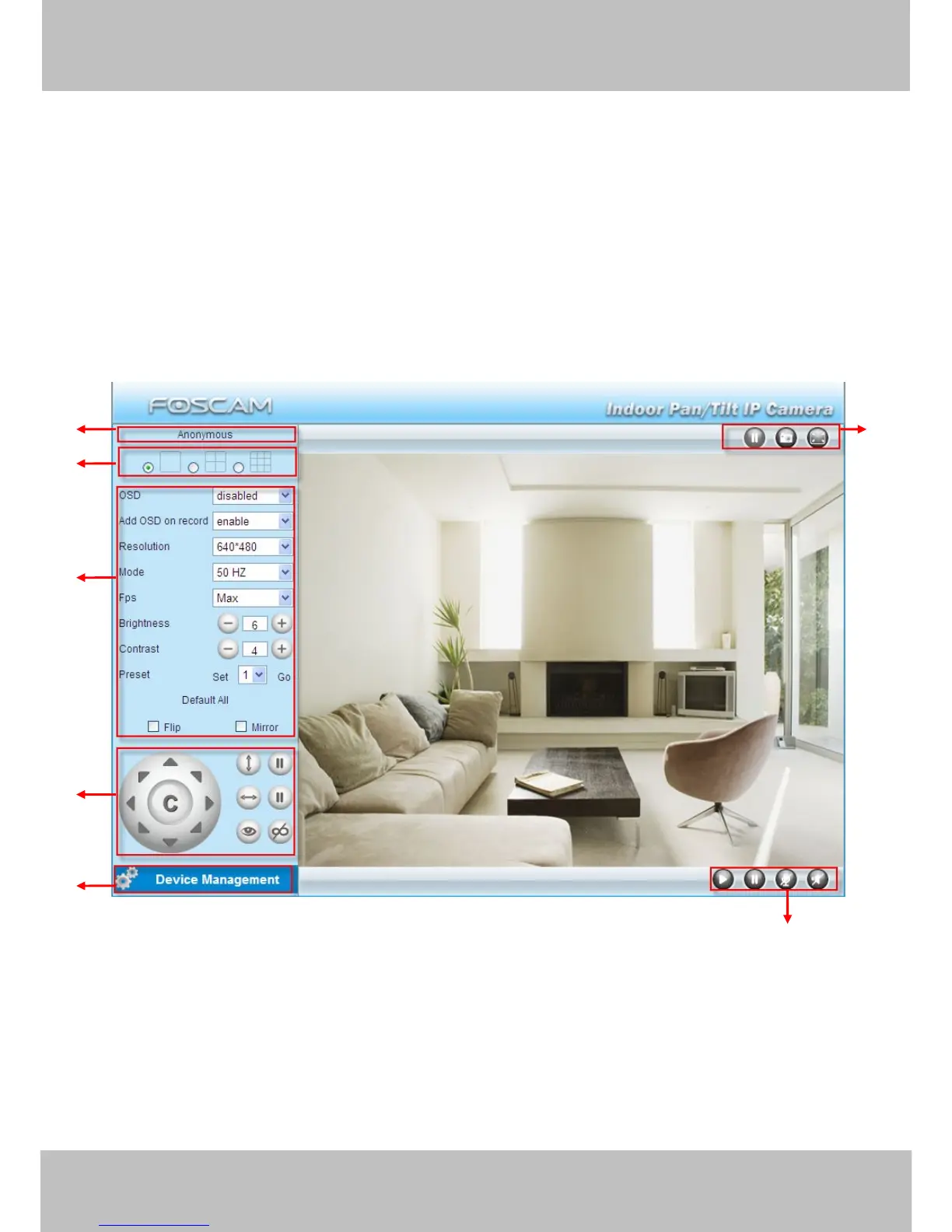
Select the ActiveX mode and you will enter the surveillance window.
Figure 2.2
Section1 Device Name
Default device name is Anonymous. You can define a name for your camera as you like (Please
go to chapter 3.1 and read how to set it)



 To Next Page