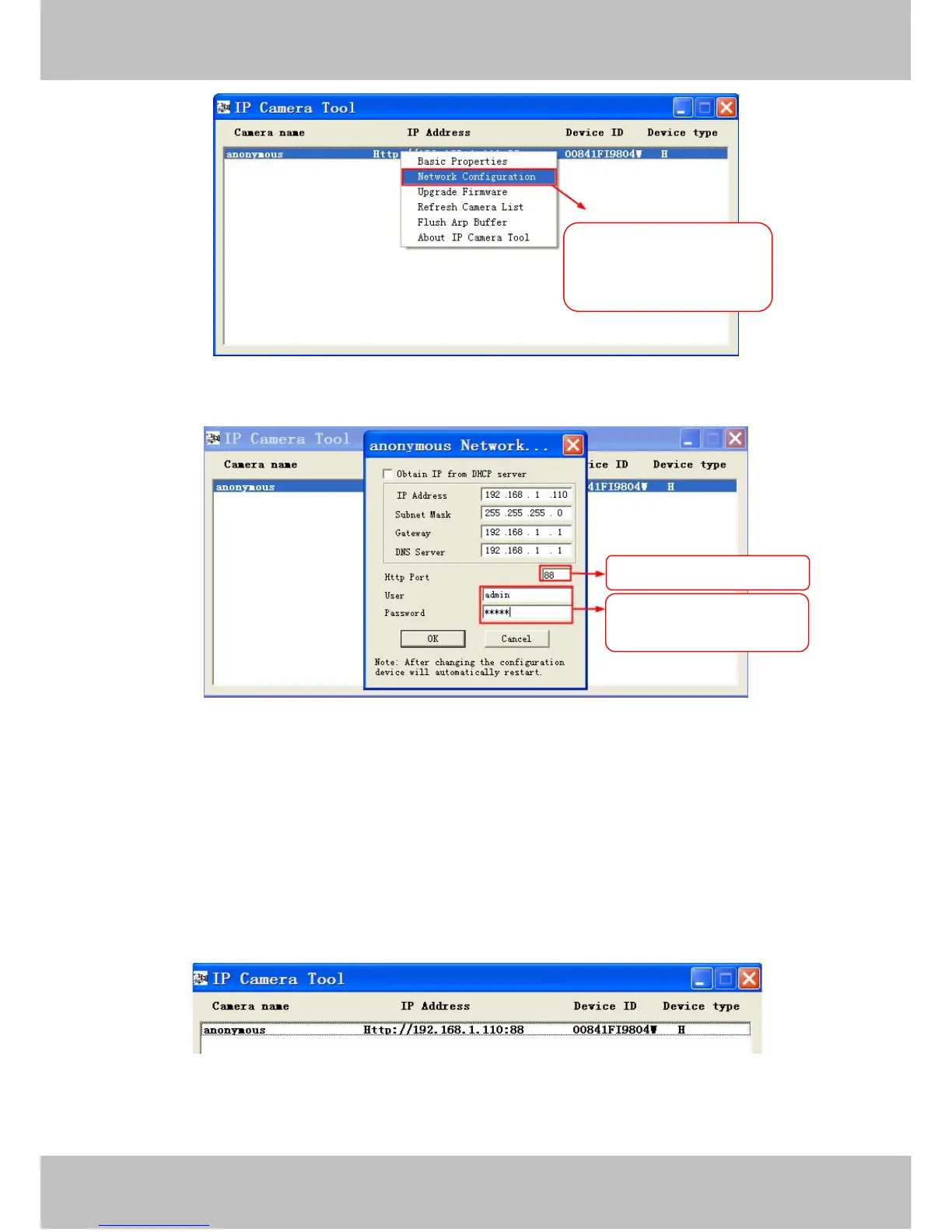
Figure 2.4
Figure 2.5
Step 2: Modify the Http Port and enter the username and password of the Administrator , and click “OK” to
apply changes.
Step 3: Wait around 10 seconds, you’ll see that the camera’s LAN IP address has changed. Also, the LAN IP
address is now fixed at a static IP address of http://192.168.1.110:88. This IP address will not change even if
the camera is powered off and back on, the camera will remain on this LAN IP address. This is very important
that a static LAN IP address is set, or you may have problems later with remote access and seeing the camera
remotely if the camera loses power and reconnects on a different LAN IP address. Make sure you set a static
LAN IP address!
Figure 2.6
What is Port forwarding?



 To Next Page