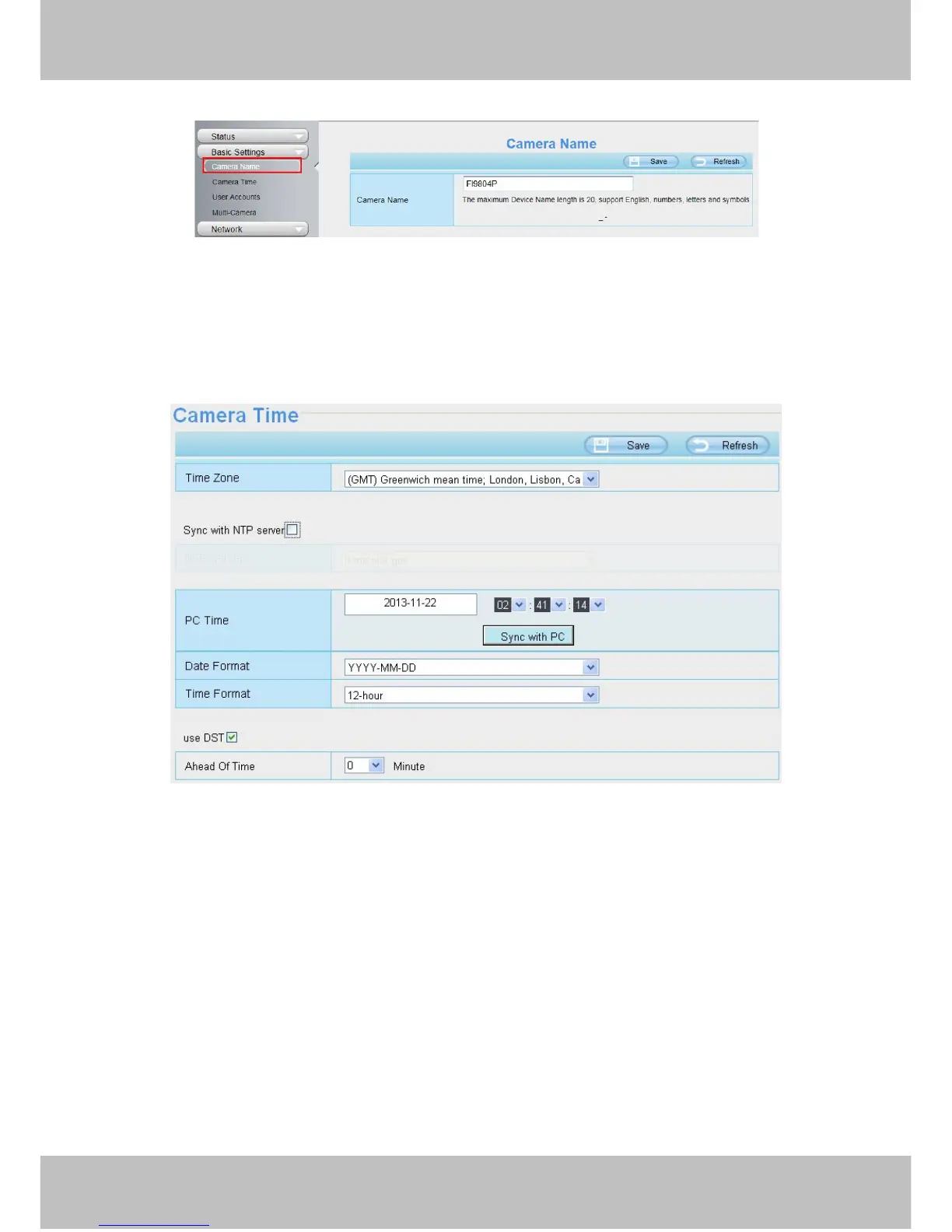
Time Zone: Select the time zone for your region from the drop-down menu.
Sync with NTP server: Network Time Protocol will synchronize your camera with an Internet time server.
Choose the one that is closest to your camera.
Sync with PC: Select this option to synchronize the date and time of the Network Camera with your computer.
Manually: The administrator can enter the date and time manually. Please select the date and time format.
use DST: Select the use DST, then select the daylight saving time from the drop-down menu.
Click Save button to submit your settings.
4.3.3 User Accounts
Here you can create users and set privilege, visitor, operator or administrator. The default administrator



 To Next Page