w
w
www
www
.foscam.
.foscam.
us
us
Foscam Digital Technologies LLC
Telephone: 1-800-930-0949
1.4 Physical Description
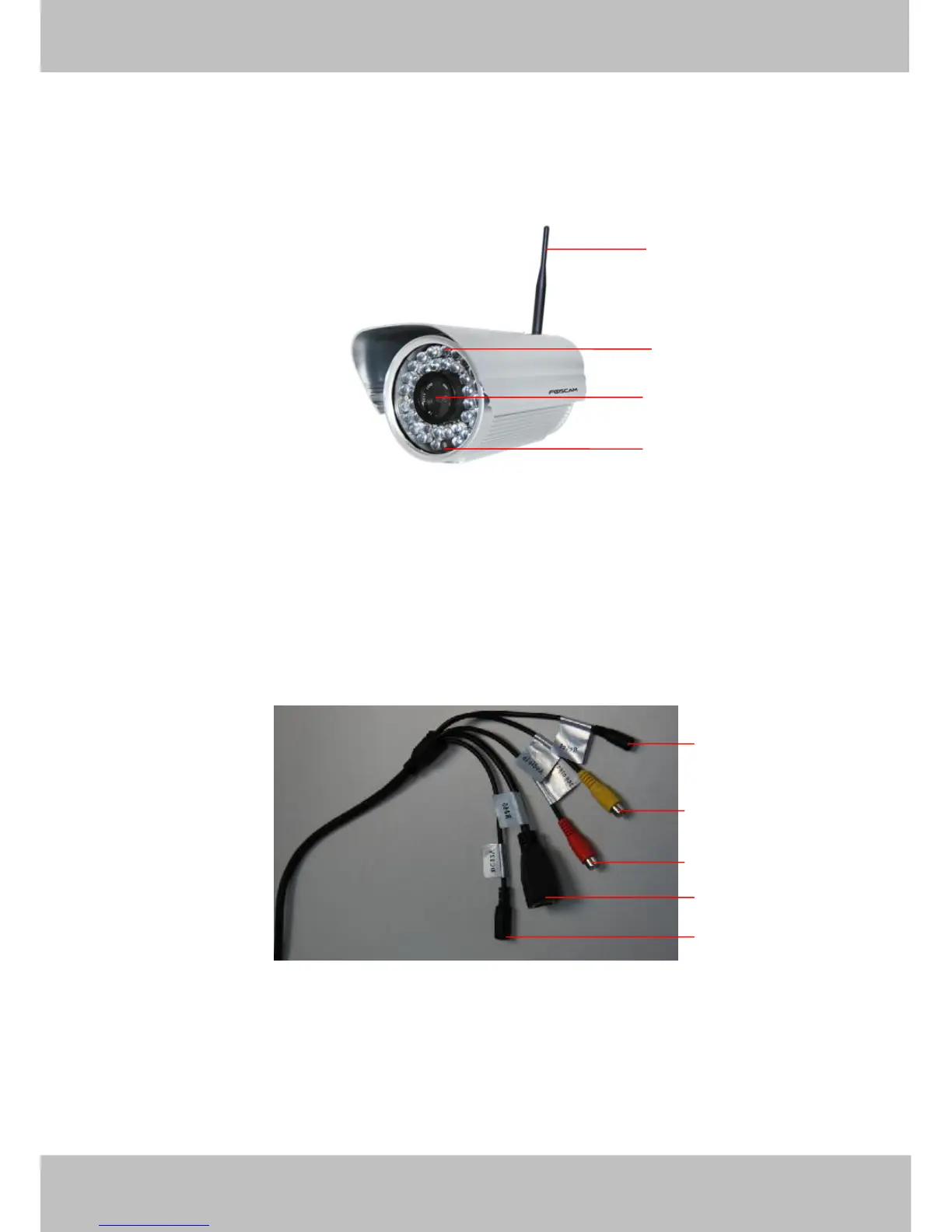
Front Panel
Figure 1.1
1 WIFI Antenna: Wireless Antenna
2 Infrared LED: 36 IR LEDs
3 LENS: CMOS sensor with fixed focus lens
4 Induction IC
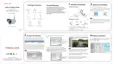
Interface
Figure 1.2
1) Reset button :Press and hold on the reset button for 5 seconds. Releasing the reset button, the password
will back to the factory default administrator password. The default administrator user is admin with no
password.
2) Audio input interface: The jack is used to plug external microphone.
3) Audio output interface: The jack is used to plug external speakers.
4) LAN: 10/100M adaptive Ethernet interface. Through this interface, IPCAM can be connected with various
network devices, such as hub, router, etc.



 To Next Page