5) Power Interface: Connect the external power adapter, request for 12V/2A power.
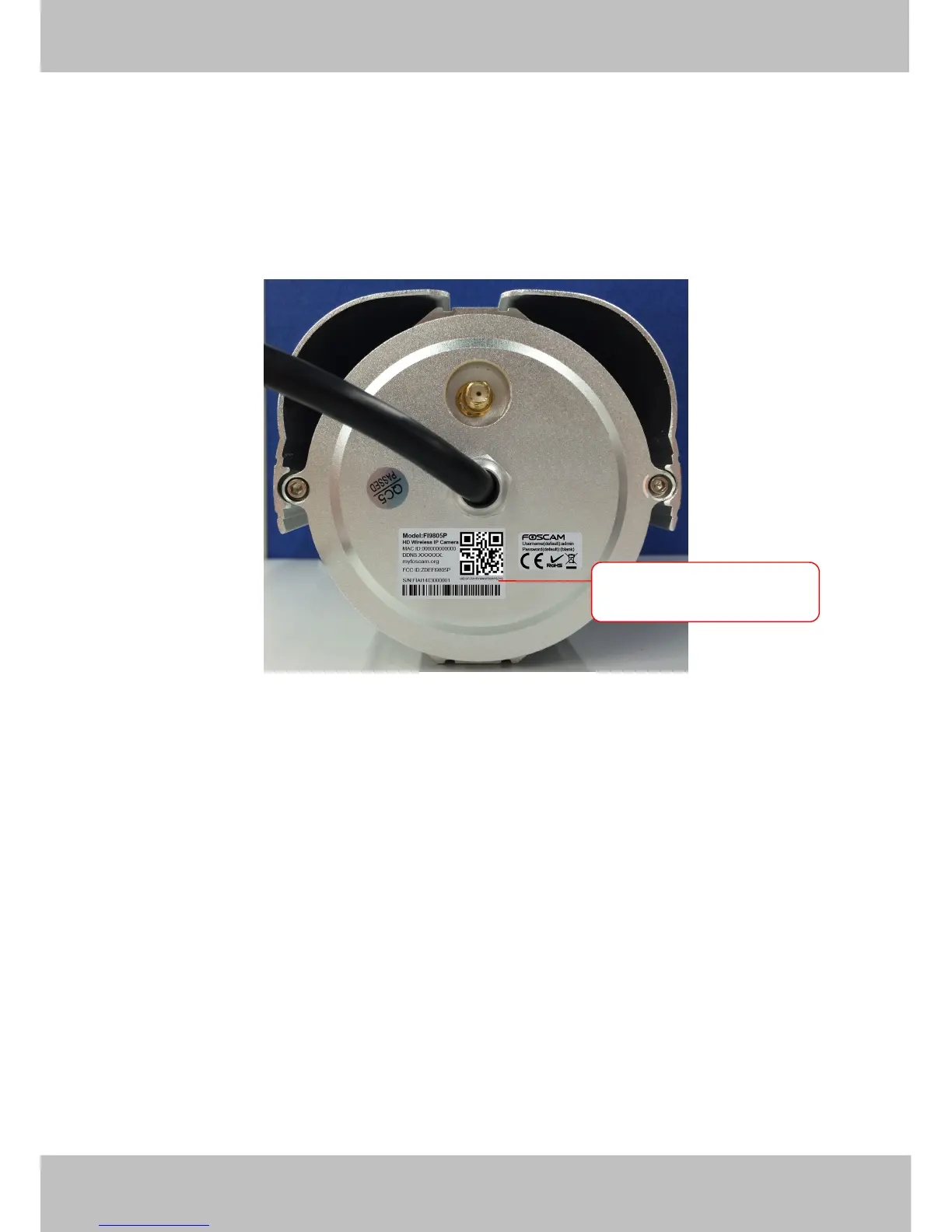
Bottom View
There are up to two labels located at the bottom of the camera; this is an important feature of original Foscam
cameras. If your camera does not have labels as shown in Figure 1.3, it may be a clone. Cloned Foscam
cameras can not use original firmware and are not eligible for warranty or technical services.
Figure 1.3
2 Accessing the Network Camera
This chapter explains how to access the network camera through web browsers and RTSP players.
2.1 Access the Camera in LAN
This camera support HTTP and HTTPS protocols, so here will allow you to use HTTP and HTTPS Port No.
(1) Http:// LAN IP + Http Port No.
Double click the IP Camera Tool icon and it should find the camera’s IP address automatically after you plug in
the network cable.



 To Next Page