www.foscam.com
Shenzhen Foscam Intelligent Technology Co., Limited
Tel: 86 755 2674 5668 Fax: 86 755 2674 5168
connection
Power Light: If the power supply works fine, the light will turn on
WPS: Push the WPS button on the camera and wireless router in 1 minutes, the camera will connect the
wireless router automatically, in WPS process, the Network Light will blink very fast
SD card Slot: Supports up to 32GB SD card for storing the video
Output: This jack is used to plug an external speaker
Input: This jack is used to plug an external microphone
Antenna: Used to connect external wireless antenna
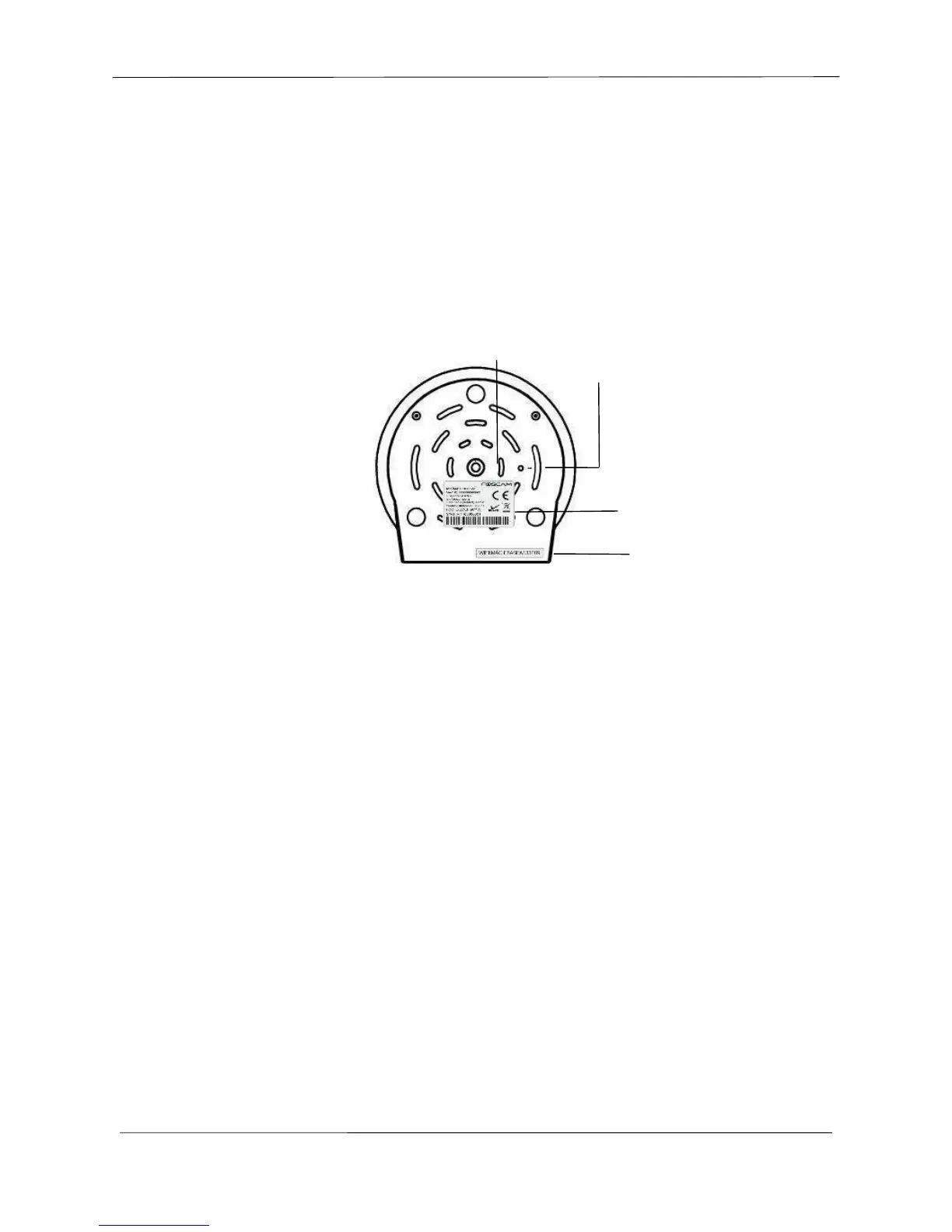
Bottom View
1.Mounting Port: Port for mounting bracket
2.Reset Button: Push and hold for more than 5 seconds to set the camera to factory default
3.Product Label: There are MAC address, DDNS URL, default username and password on the label
SN Label: There is serial number of the camera on the label.
4.Wi-Fi Module Label: There is Wi-Fi MAC address and serial number of the Wi-Fi module on the label
NOTE:
The different features between the models involved



 To Next Page