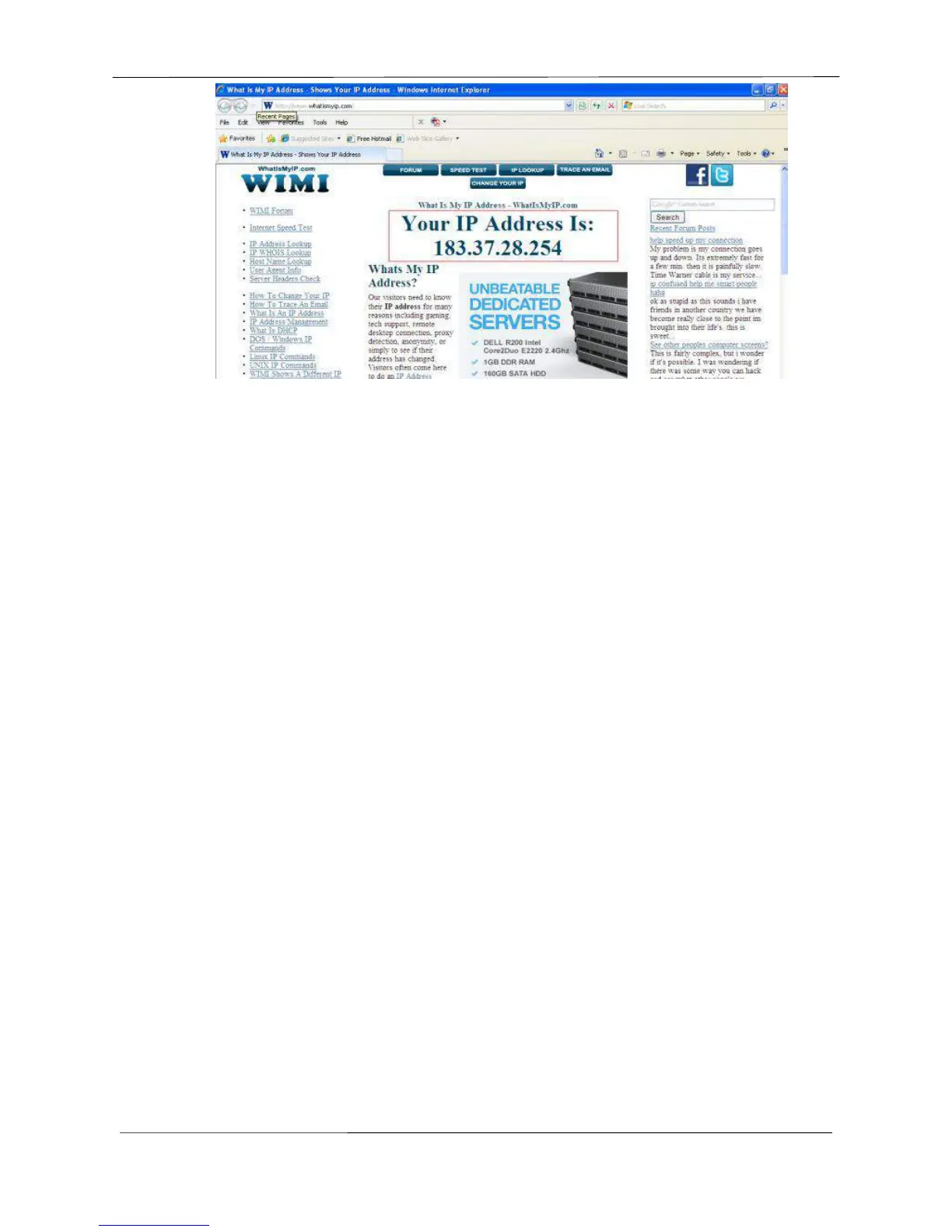
Figure 2.8
Access your IP Camera from the Internet
You can access the IP Camera from the Internet (remote access). Enter the WAN IP address and port
number in your standard browser. For example, you would enter http:// 183.37.28.254:85
NOTE :
Make sure port forwarding is successful. You can do port forwarding two ways.
login to your router to enable the “UPNP” function. You can then login to the camera as administrator,
choose Network, and then choose UPnP to enable UPnP. Make sure that the status of UPnP reads
“UPnP Successful” on the Status page.
Do port (HTTP port and Media port) forwarding manually. (See Figure 2.11 for further details)
If your router has a Virtual Server, it can do port forwarding. Add the camera’s LAN IP and port which you
had set earlier to your router’s port forwarding settings.
Note: If you plug the camera into a router, it will have a dynamic IP address and you need to set DDNS
service settings to view it remotely.
2.2.2 Dynamic IP Addresses
DDNS is a service that allows your IP Camera, especially when assigned with a dynamic IP address, to
have a fixed host and domain name. This means that even though your WAN IP address is constantly
changing, you will have a fixed host name you can use to access your cameras at all times. You can
access the camera directly from the Internet using the host name and port number.
What is the HTTP Port NO.?
Default HTTP Port is 88
All cameras have the default HTTP port of 88. For example, if the LAN IP link of the camera is
http://192.168.8.102:88, this means that the camera’s HTTP port is 88. You can change port 88 to



 To Next Page