www.foscam.com
Shenzhen Foscam Intelligent Technology Co., Limited
Tel: 86 755 2674 5668 Fax: 86 755 2674 5168
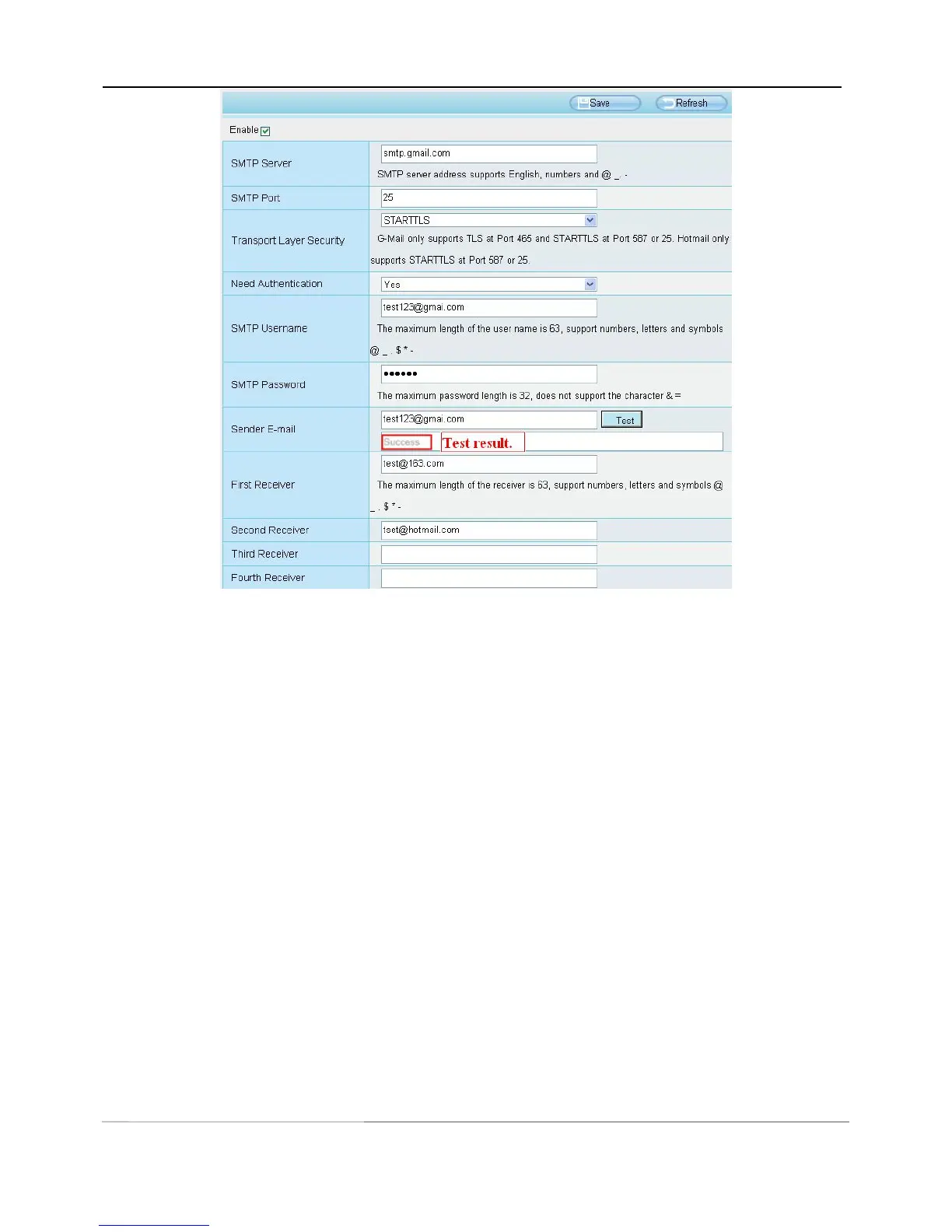
If the test success, you can see the Success behind the Test, at the same time the receivers will receive a test
mail.
If the test fails with one of the following errors after clicking Test, verify that the information you entered is
correct and again select Test .
1) Cannot connect to the server
2) Network Error. Please try later
3) Server Error
4) Incorrect user or password
5) The sender is denied by the server. Maybe the server need to authenticate the user, please check it and try
again
6) The receiver is denied by the server. Maybe because of the anti-spam privacy of the server
7) The message is denied by the server. Maybe because of the anti-spam privacy of the server
8) The server does not support the authentication mode used by the device
4.3.8 FTP Settings
If you want to upload record images to your FTP server,you can set FTP Settings.



 To Next Page