EasyManua.ls Logo

Fostex 280 - Page 17

Fostex 280
28 pages
Print Icon
To Next Page IconTo Next Page
To Previous Page IconTo Previous Page
Loading...
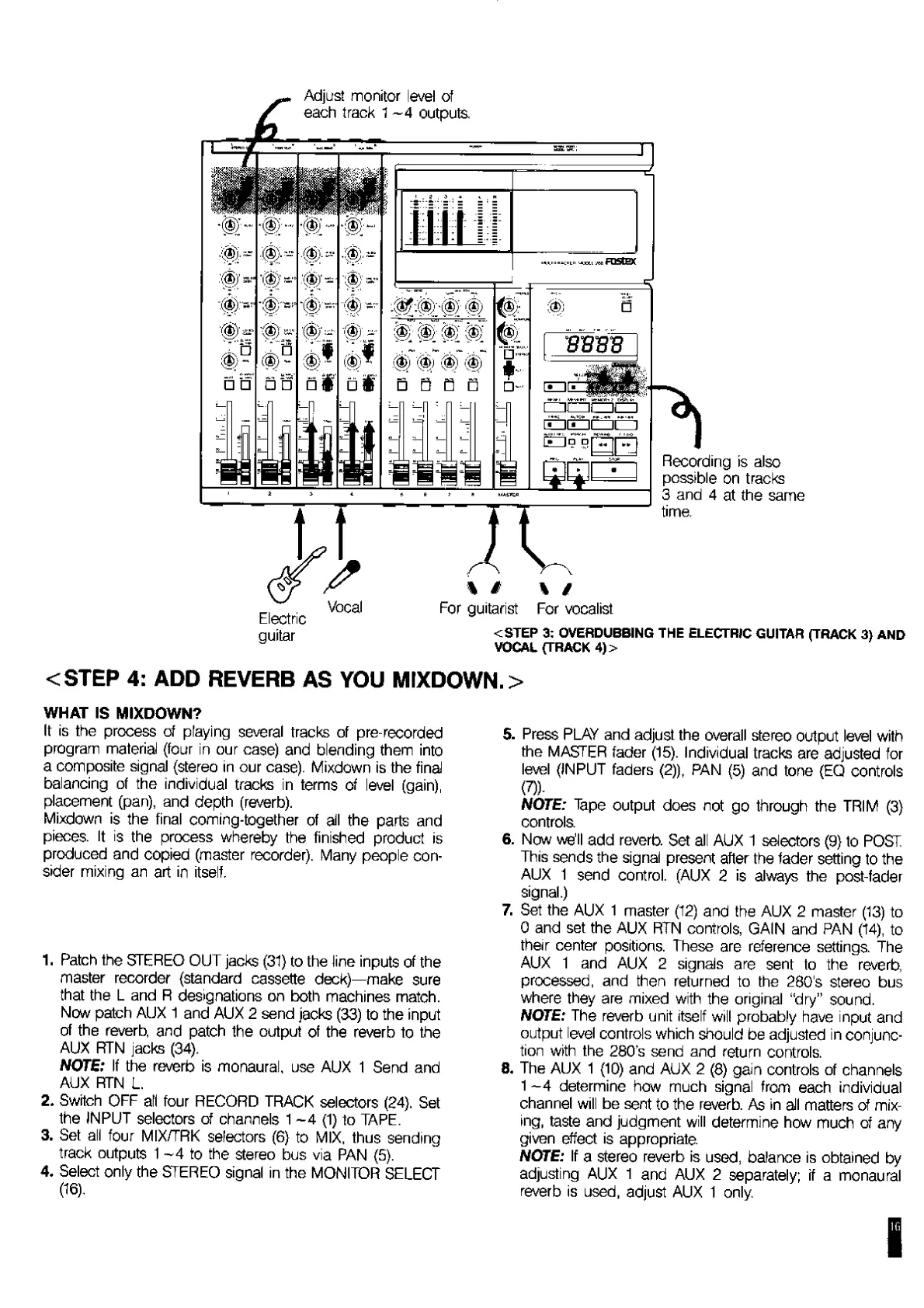
Adjust
monitor
level
of
each
track
1
~4
outputs.
guitar
<STEP
3:
OVERDUBBING
THE
ELECTRIC
GUITAR
(TRACK
3)
AND
VOCAL
(TRACK
4)
>
<STEP
4:
ADD
REVERB
AS
YOU
MIXDOWN.>
WHAT
IS
MIXDOWN?
It
is
the
process
of
playing
several
tracks
of
pre-recorded
program
material
(four
in
our
case)
and
blending
them
into
a
composite
signal
{stereo
in
our
case).
Mixdown
is
the
final
balancing
of
the
individual
tracks
in
terms
of
level
(gain),
placement
(pan),
and
depth
(reverb).
Mixdown
is
the
final
coming-together
of
all
the
parts
and
pieces.
It
is
the
process
whereby
the
finished
product
is
produced
and
copied
(master
recorder).
Many
people
con¬
sider
mixing
an
art
in
itself.
1.
Patch
the
STEREO
OUT
jacks
(31)
to
the
line
inputs
of
the
master
recorder
{standard
cassette
deck)—make
sure
that
the
L
and
R
designations
on
both
machines
match.
Now
patch
AUX
1
and
AUX
2
send
jacks
(33)
to
the
input
of
the
reverb,
and
patch
the
output
of
the
reverb
to
the
AUX
RTN
jacks
(34).
NOTE:
If
the
reverb
is
monaural,
use
AUX
1
Send
and
AUX
RTN
L.
2.
Switch
OFF
all
four
RECORD
TRACK
selectors
(24).
Set
the
INPUT
selectors
of
channels
1
~4
(1)
to
TAPE.
3.
Set
all
four
MIX/TRK
selectors
(6)
to
MIX,
thus
sending
track
outputs
1
~4
to
the
stereo
bus
via
PAN
(5).
4.
Select
only
the
STEREO
signal
in
the
MONITOR
SELECT
(16).
5.
Press
PLAY
and
adjust
the
overall
stereo
output
level
with
the
MASTER
fader
(15).
Individual
tracks
are
adjusted
for
level
{INPUT
faders
(2)),
PAN
(5)
and
tone
(EQ
controls
(7)).
NOTE:
Tape
output
does
not
go
through
the
TRIM
(3)
controls.
6
.
Now
we’ll
add
reverb.
Set
all
AUX
1
selectors
(9)
to
POST
This
sends
the
signal
present
after
the
fader
setting
to
the
AUX
1
send
control.
(AUX
2
is
always
the
post-fader
signal.)
7.
Set
the
AUX
1
master
(12)
and
the
AUX
2
master
(13)
to
0
and
set
the
AUX
RTN
controls,
GAIN
and
PAN
(14),
to
their
center
positions.
These
are
reference
settings.
The
AUX
1
and
AUX
2
signals
are
sent
to
the
reverb,
processed,
and
then
returned
to
the
280's
stereo
bus
where
they
are
mixed
with
the
original
“dry”
sound.
NOTE:
The
reverb
unit
itself
will
probably
have
input
and
output
level
controls
which
should
be
adjusted
in
conjunc¬
tion
with
the
280’s
send
and
return
controls.
8
.
The
AUX
1
(10)
and
AUX
2
(8)
gain
controls
of
channels
1
~4
determine
how
much
signal
from
each
individual
channel
will
be
sent
to
the
reverb.
As
in
all
matters
of
mix¬
ing,
taste
and
judgment
will
determine
how
much
of
any
given
effect
is
appropriate.
NOTE:
If
a
stereo
reverb
is
used,
balance
is
obtained
by
adjusting
AUX
1
and
AUX
2
separately;
if
a
monaural
reverb
is
used,
adjust
AUX
1
only.

Related product manuals