116
Save/Load of Song data (VF80EX)
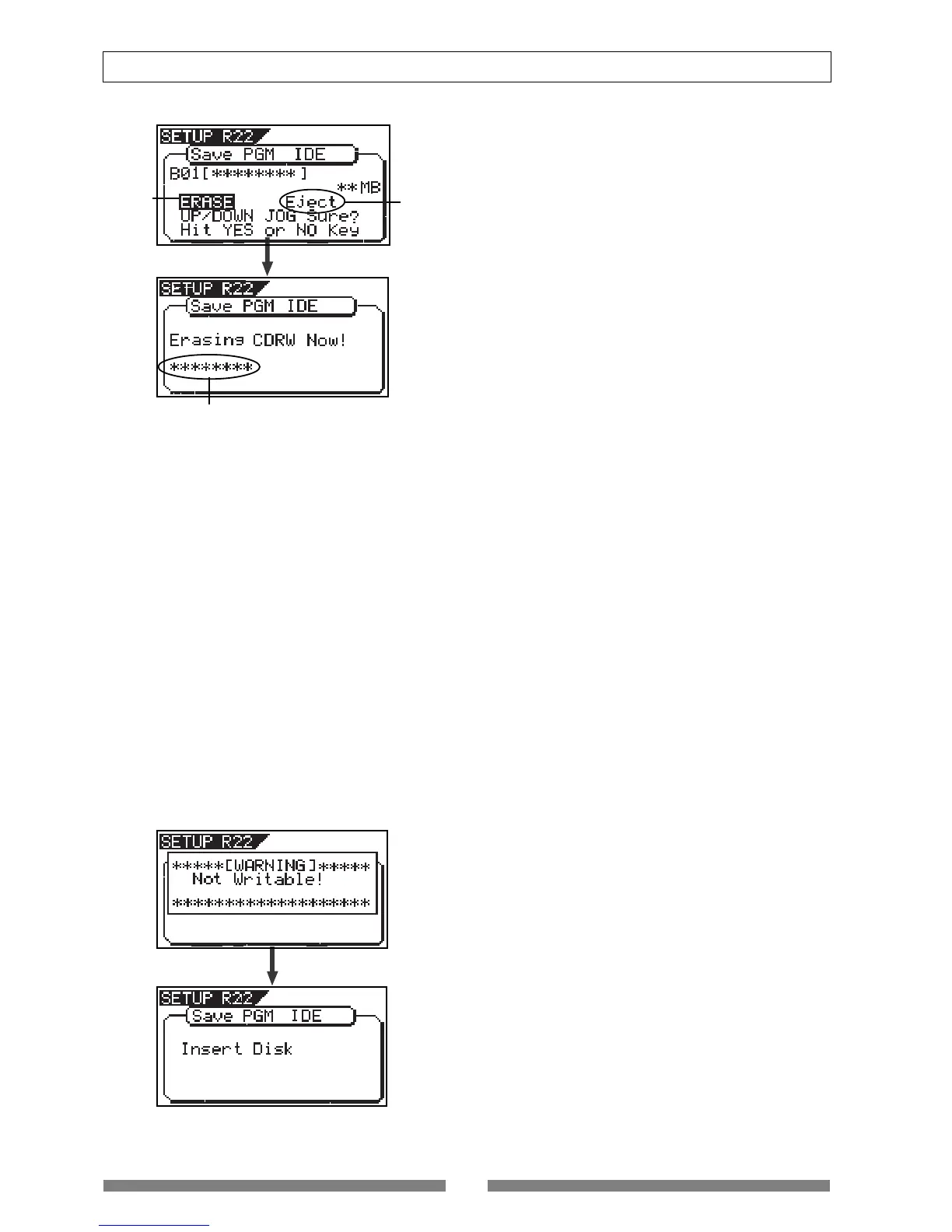
Immediately after completing erasing the disc, the
display shows the same screen (for selecting a pro-
gram to be saved) which appears after step 5 is
performed. Hereafter, perform the same proce-
dure as described above.
Flashing
Flashing
Increases as the process progresses.
<Hint 2>
If you try to save data to a recorded CD-R disc, the
display shows a warning message saying “Not Writ-
able”, followed by a message saying “Insert Disk” as
below.
• To eject the disc
Use the [JOG] dial to highlight “Eject” (flashing)
and press the [ENTER/YES] key.
The disc is ejected while the display shows “Insert
Disk!”.
By inserting a disc, you can start the save opera-
tion again from the beginning.



 To Next Page